Easy Computer Cleaner · Browser Extension 💻 Win/Mac/Linux
Easy Computer Cleaner 📌

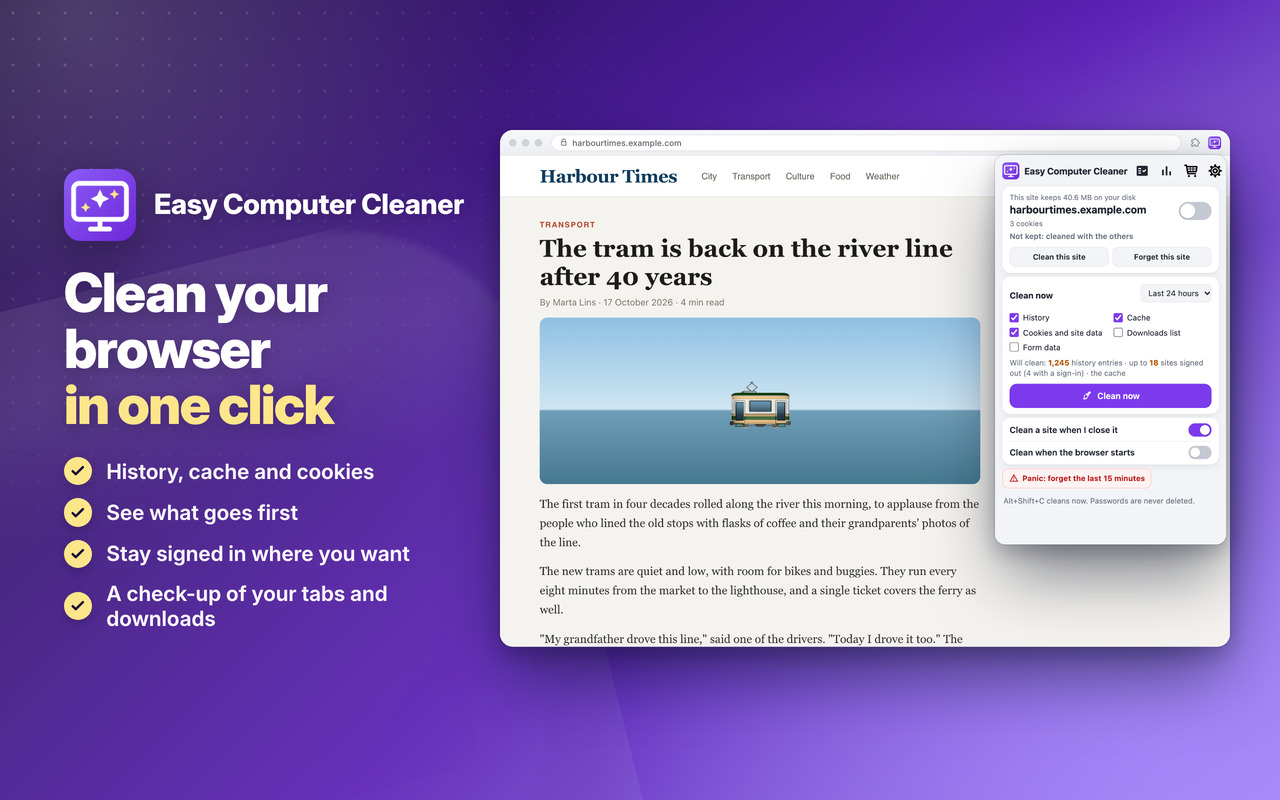
Clean your browser in one click 📌 and stay signed in where you want: history, cache, cookies and site data, the downloads list and form data 🚨

See before you clean 👀

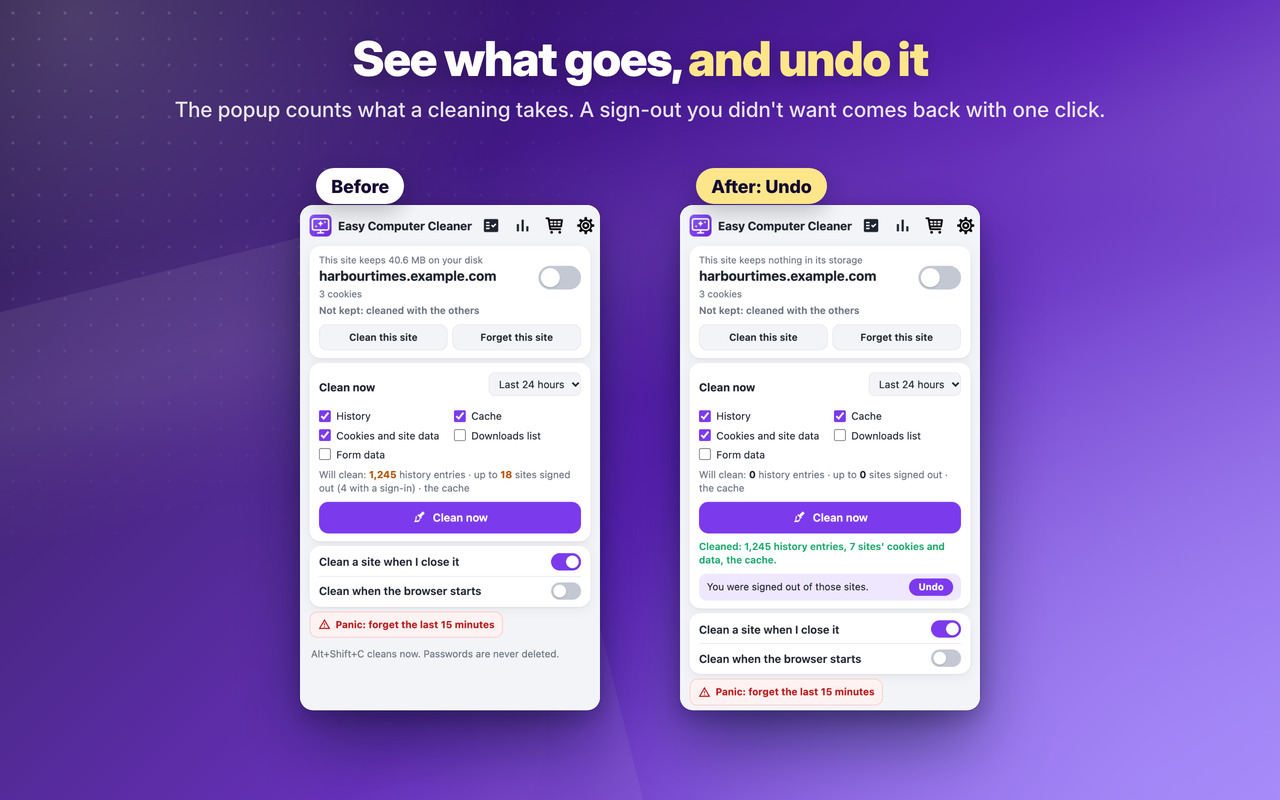
The popup counts what goes: history entries, the sites you'll be signed out of. Changed your mind? Undo a sign-out 🔙

Check-up 🔎

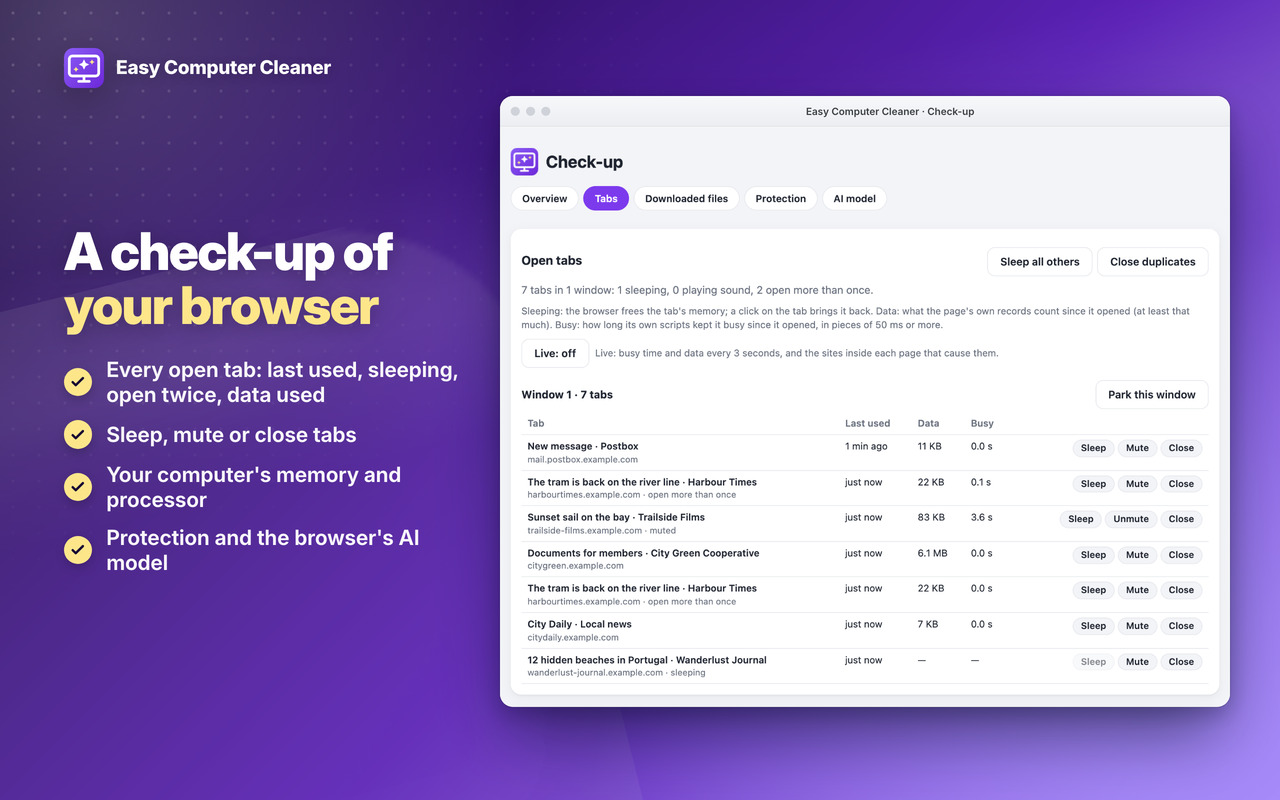
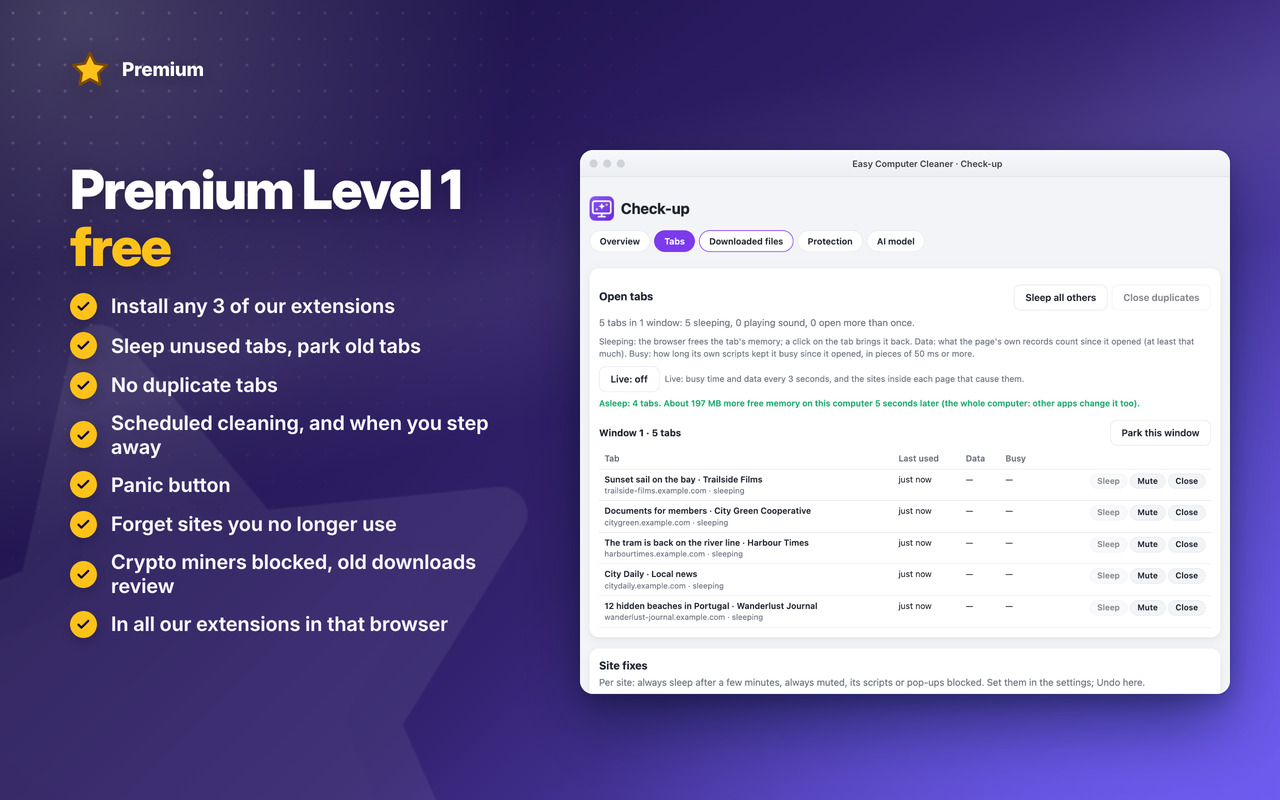
Your open tabs, the downloaded files still taking space on your disk, the browser's protection and its AI model, each with its fix 💽

Private 🔒

The browser itself does the cleaning: nothing to install, nothing sent anywhere, and passwords are never deleted 🙂


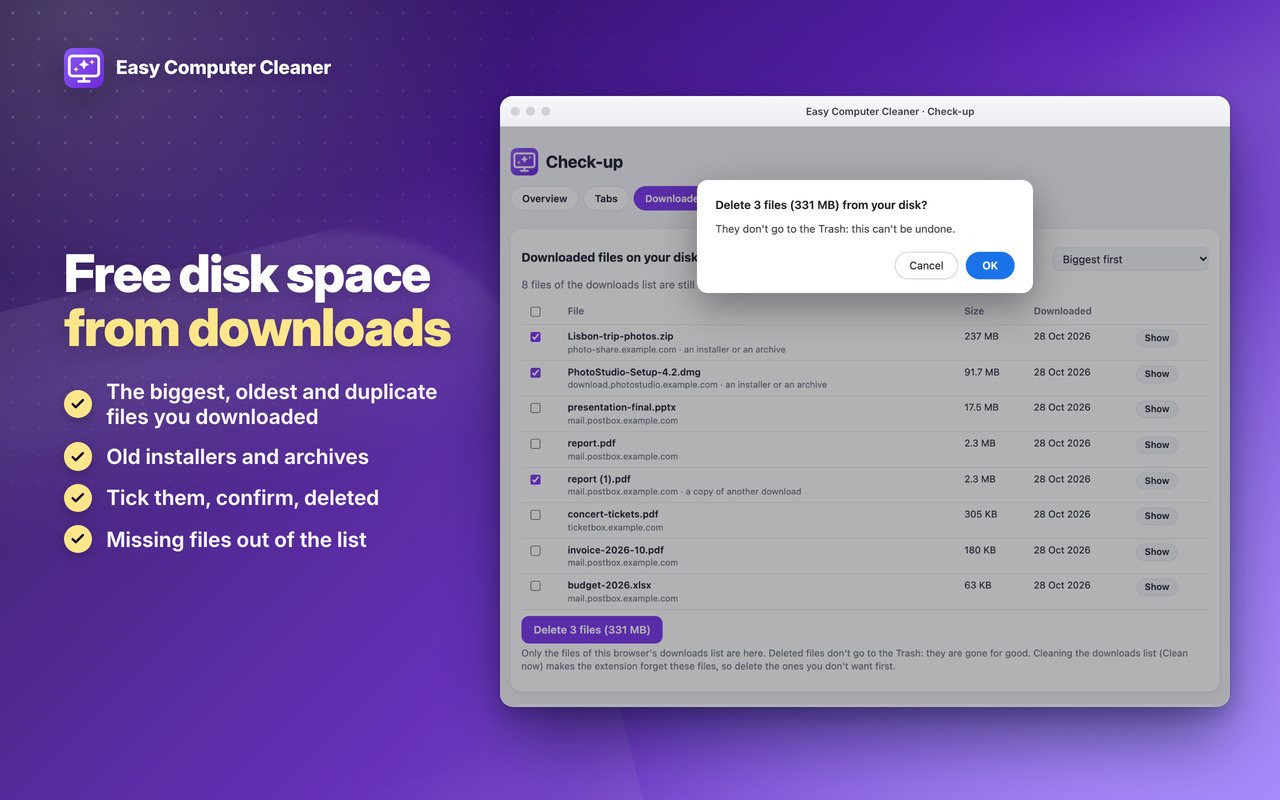
Free disk space from downloads

The biggest, oldest and duplicate files you downloaded: tick, confirm, gone 💽
Easy Computer Cleaner: Free disk space from downloads

See what goes, and undo it

See the history and the sites you’ll be signed out of before you clean, and undo it ↩️
Easy Computer Cleaner: See what goes, and undo it

A check-up of your browser

Your open tabs, your computer’s memory and processor, and the browser’s protection 🔎
Easy Computer Cleaner: A check-up of your browser

Download

Coming Soon!

Coming Soon!

Coming Soon!

Easy Computer Cleaner

Premium

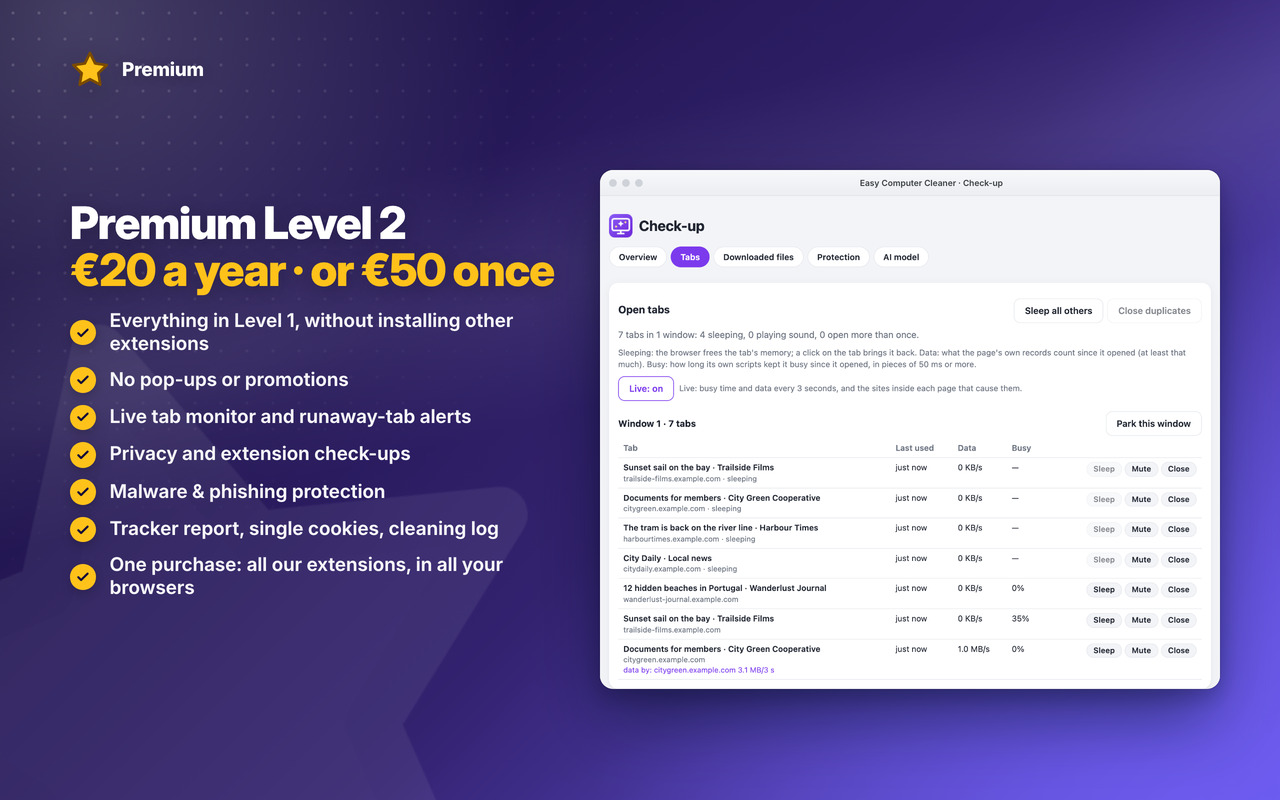
Two levels, in all our extensions: Premium Level 1 is free with any 3 of them installed, Premium Level 2 is €20 a year or €50 once.
All Premium features →

Premium Level 1

Premium Level 1 · free

With any 3 of our extensions installed, in that browser:

  • Scheduled cleaning
  • Clean when you step away
  • Panic button
  • Rules per site
  • History rules
  • Downloads list rule
  • Themes
  • Backup & restore
  • Sleep unused tabs
  • Park old tabs
  • No duplicate tabs
  • Keep history only for a while
  • Forget sites you no longer use
  • Site permissions clean-up (not in Firefox)
  • Block crypto miners
  • Old downloads review
Premium Level 2

Premium Level 2 · €20 a year or €50 once

  • Everything in Level 1, without installing other extensions
  • No pop-ups or promotions
  • Tracker report
  • Keep single cookies
  • Cleaning log with undo
  • Live tab monitor
  • Runaway-tab alerts
  • Site fixes
  • Privacy check-up
  • Extension check-up
  • Malware & phishing protection
  • Premium in all our extensions, in Chrome, Edge and Firefox, with one purchase
  • Early access to new features
  • Priority support by email
  • New Premium features included
Scheduled cleaning
Panic button
Tracker report

See all Easy Computer Cleaner Premium features →


Changelog

v1.2 31/10/2026

🔎 NEW Check-up: your open tabs, the downloaded files on your disk, protection and the browser’s AI model, on one page
💽 Free disk space: the biggest, oldest and duplicate files you downloaded, deleted after your confirmation
📑 Tab check-up: last used, sleeping, sound, open twice, data used and busy time; sleep, mute or close them
📏 This site’s size in the popup, next to Clean this site
⭐ NEW Premium Level 1: sleep unused tabs, park old tabs, no duplicate tabs, keep history only for a while, forget unused sites, site permissions clean-up, crypto miners blocked, old downloads review
👑 NEW Premium Level 2: live tab monitor, runaway-tab alerts, site fixes, privacy and extension check-ups, malware & phishing protection

OLDER

v1.0 28/10/2026
🎉 First version: history, cache, cookies and site data, the downloads list and form data cleaned in one click, for the time you choose
👀 See what goes before you clean, and undo a sign-out you didn’t want
✅ Stay signed in where you want: an unlimited list of kept sites, with suggestions
🍪 Cookie banners stay answered: your accept / reject choices are kept
🎯 Clean this site, or forget it completely, also its hidden cookies
🔄 Automatic: a site when you close its last tab, when the browser starts, when it closes
⭐ Premium Level 1: scheduled cleaning, when you step away, panic button, rules per site, history and downloads list rules, backup, themes
👑 Premium Level 2: tracker report, keep single cookies, cleaning log with Undo



Permissions

Browser Extension 💻 Win/Mac/Linux
  • “browsingData” – Used to delete what you choose with the browser's own cleaning: the history, cache, cookies and site data, the downloads list and form data; also the data of the sites you no longer use, when you turn it on.
  • “cookies” – Used to keep the cookies of the sites you keep and your cookie-banner answers, to count the sites you'll be signed out of, and to bring back a sign-out (Undo).
  • “history” – Used to count the history entries before you delete them, to forget a site's history, for the history rules and to keep history only for the days you choose.
  • “downloads” – Used to delete entries of the downloads list, to show the downloaded files still on your disk, and to delete the ones you tick in the check-up, after a confirmation.
  • “sessions” – Used by the panic button to bring back the tabs it closed.
  • “contentSettings” – Used for "Clean when the browser closes", to revoke the site permissions you choose (and Restore them), and for the site fixes that block a site's scripts or pop-ups.
  • “idle” – Used to clean when the computer is idle or the screen locks, when you turn it on.
  • “storage” – Used to save your settings, kept sites, parked tabs, statistics and the cleaning log on your computer.
  • “unlimitedStorage” – Storage is limited to 10MB of data that may not be enough for the statistics, the cleaning log, the parked tabs and the Undo copies.
  • “scripting” – Used to empty the session storage of the open tabs of a site you clean, and to read a page's own count of its data and busy time (tab check-up), its storage size (popup) and whether a form is being filled in before a tab sleeps.
  • “tabs” – Used to read the address of the page you're on, to clean a site when its last tab closes, and to sleep, park, mute or close the tabs you choose (or the unused ones, when you turn it on).
  • “notifications” – Used to send desktop notifications. For example after an automatic cleaning, the weekly old downloads review and the runaway-tab alerts (only if you turn them on), or when the App is updated.
  • “contextMenus” – Allows adding more settings when you right-click a page (Clean this site, Forget this site, Keep me signed in) and when you right-click the App icon (Open statistics, Open the check-up, Rate, Go Premium).
  • “alarms” – Used to clean a site after its last tab closes, for the scheduled cleaning, the daily rules (downloads list, history, sites you no longer use), the tab sleep and park checks and the weekly downloads review.
  • “system.display” – Used to detect the display size to open the statistics and check-up windows at a size that fits your screen.
  • “declarativeNetRequestWithHostAccess” – Used to block crypto-miner sites (NoCoin list) and for the warning page before sites known for malware (URLhaus list), with the browser's own blocking rules; the pages aren't read.
  • “webRequest” – Used to count the data each tab uses (the live tab monitor and the runaway-tab alerts, only while they're on) and to know the address behind the warning page, so Continue anyway can open it. Nothing is changed or sent.
  • “system.cpu” – Used to show in the check-up how busy the computer's processor is (the whole computer).
  • “system.memory” – Used to show in the check-up the computer's memory in use, and the free memory measured after tabs sleep.
  • “privacy” – Optional, asked only when you open the privacy check-up: to set the privacy settings you choose, and to put yours back.
  • “management” – Optional, asked only when you open the extension check-up: to list your extensions and turn off or remove the ones you choose (the browser asks you first).
  • “host_permissions” – Permission to access all hosts/domains, because the cookies and data you clean belong to every site you visit, and the browser blocks crypto miners and shows the malware warning on any site. Also used to show the Tips – Tricks – News and to allow intercommunication with other Oinkandstuff Apps.
  • “all_urls” – We cannot predict ahead of time which sites you will visit, so the extension works on any page.
  • 🐗 #OinkAndStuff is certified as 100% Free of malware 🐞 by Softpedia Labs 🔬