Easy Video Downloader · Browser Extension 💻 Win/Mac/Linux
Easy Video Downloader 📌

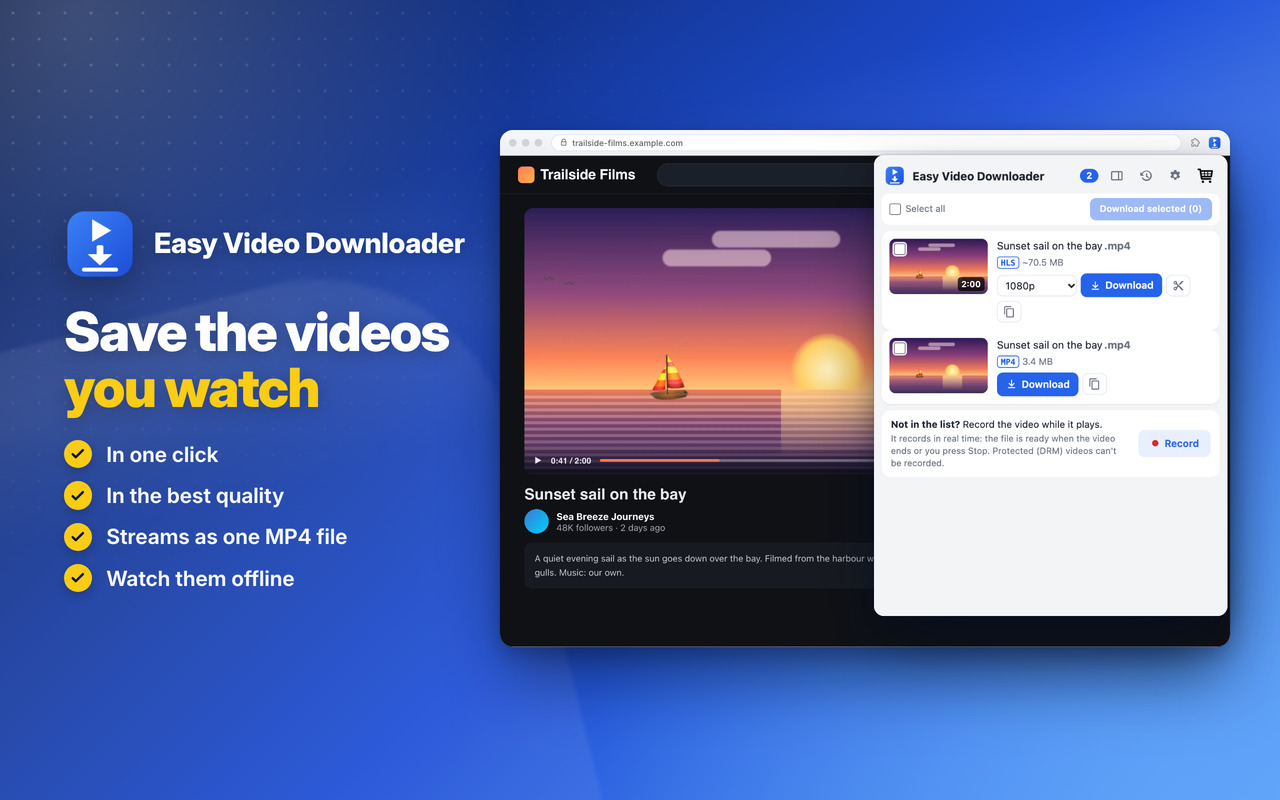
Save the videos you watch, in one click 📌 in the best quality: files and streams (HLS and DASH) saved as one MP4 file 🚨

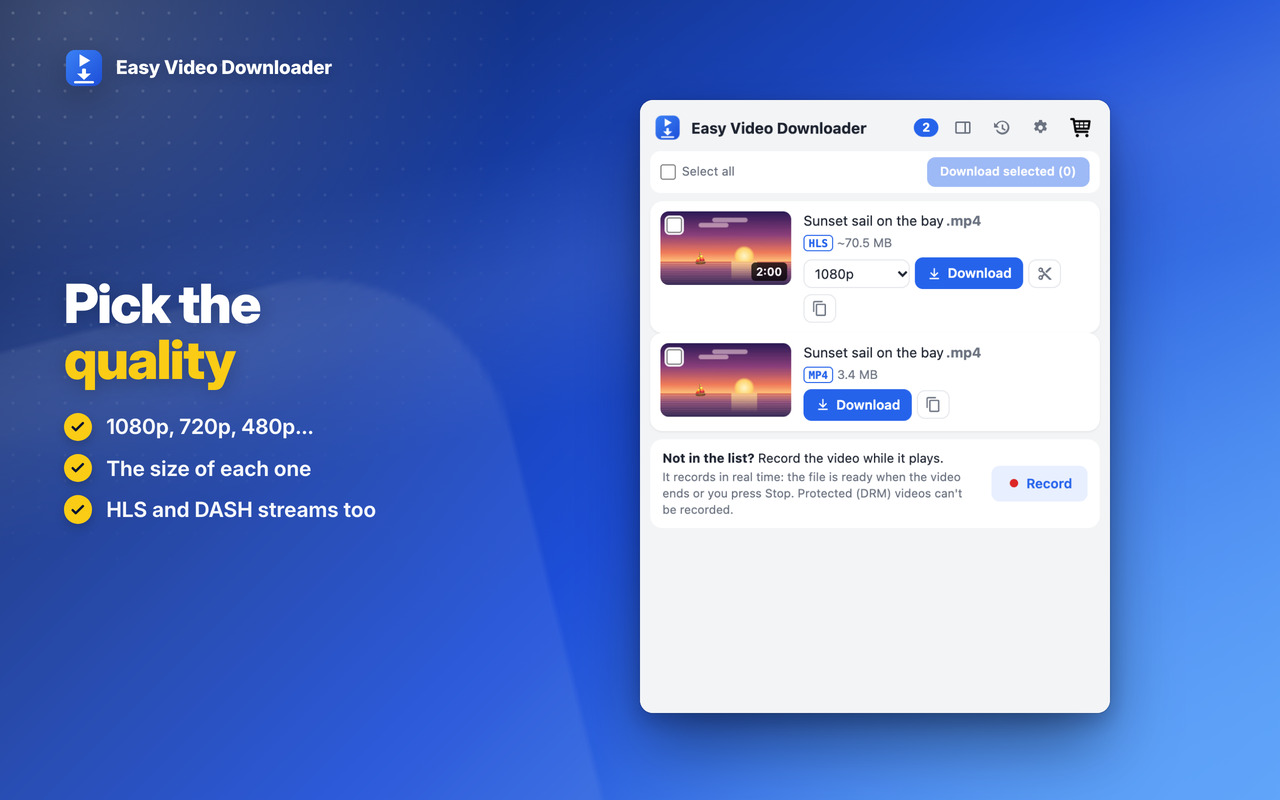
Pick the quality 📐

1080p, 720p, 480p… with the size of each, and the sound in the same file 🎞️

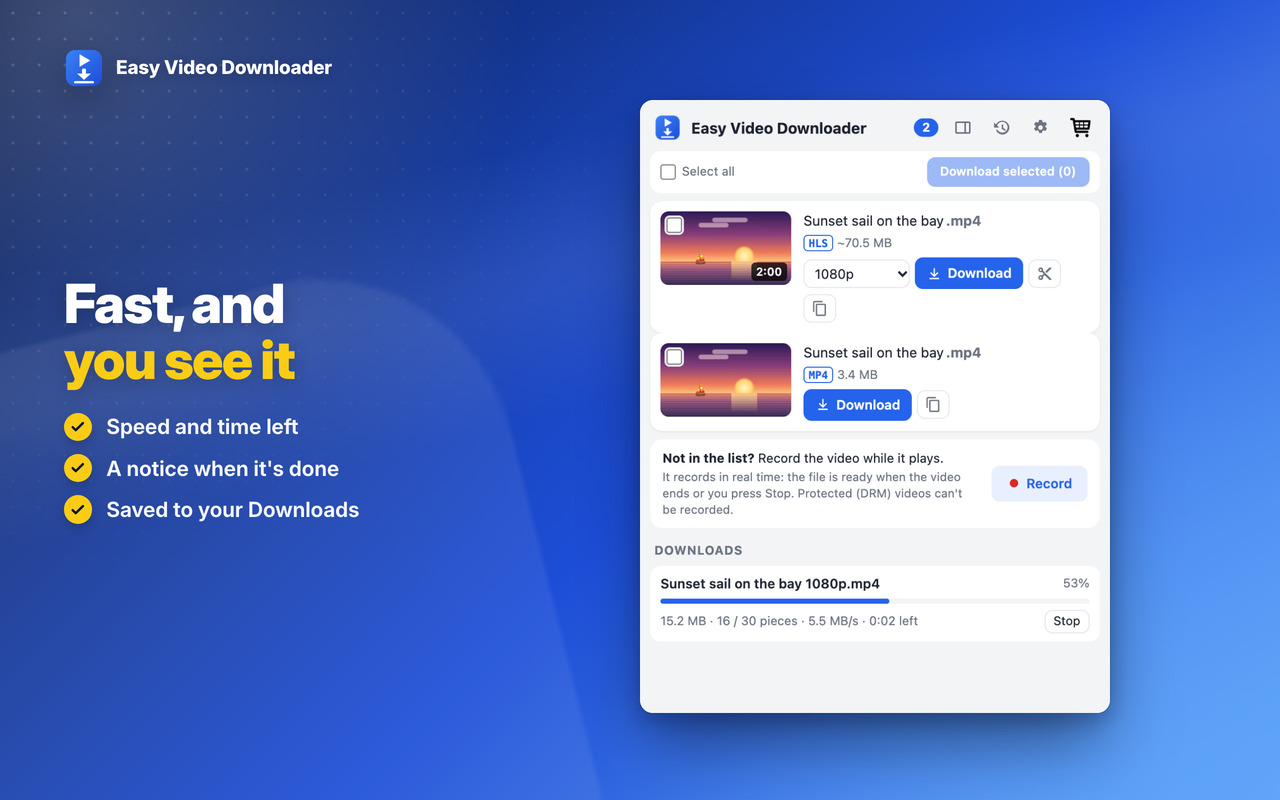
Fast, and you see it 🚀

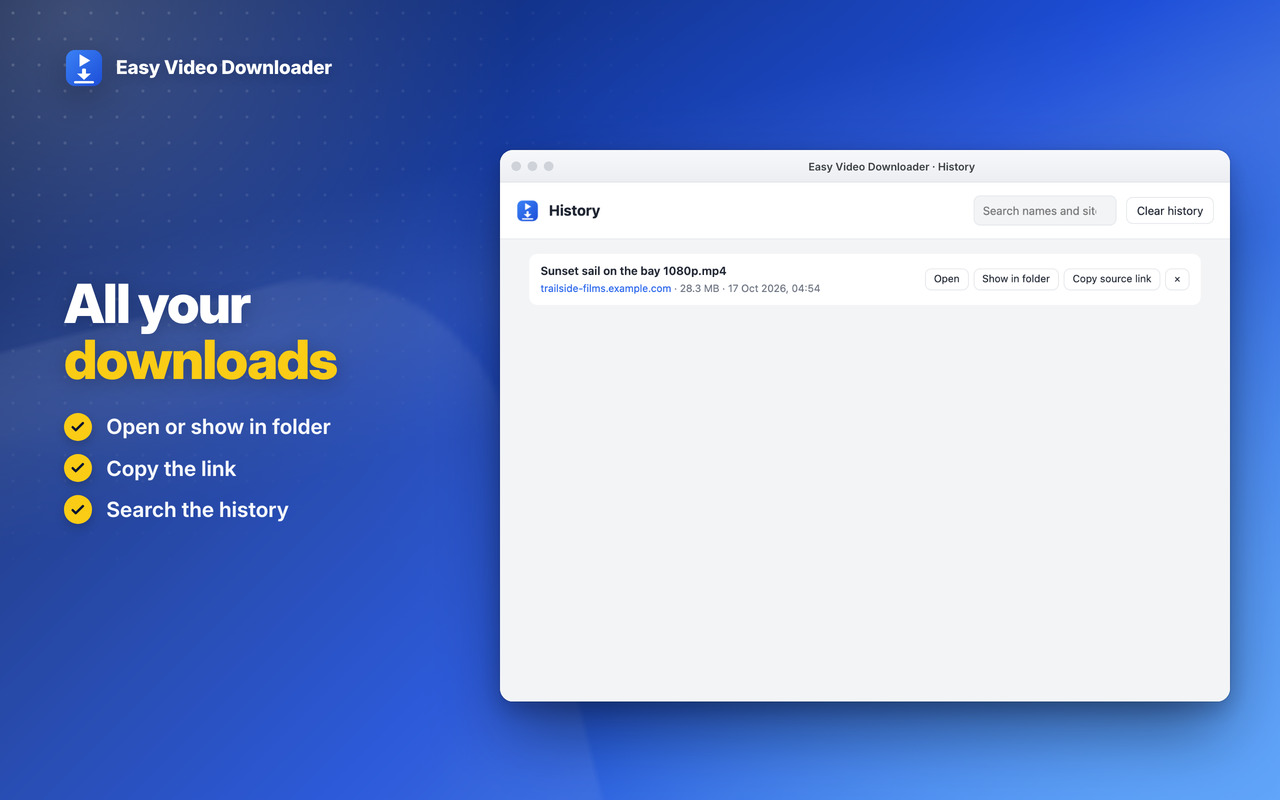
Speed and time left, a notice when it's done, and the downloads history: open, show in folder, search 📚

Private 🔒

Everything happens on your computer: no server in the middle, no account. YouTube isn't supported, as the stores ask ℹ️


Pick the quality

Choose the quality before saving, then see the speed and time left while it downloads ⚡
Easy Video Downloader: Pick the quality

Premium Level 1

Audio only, subtitles, part of a video, your own names and folders, and the side panel ⭐
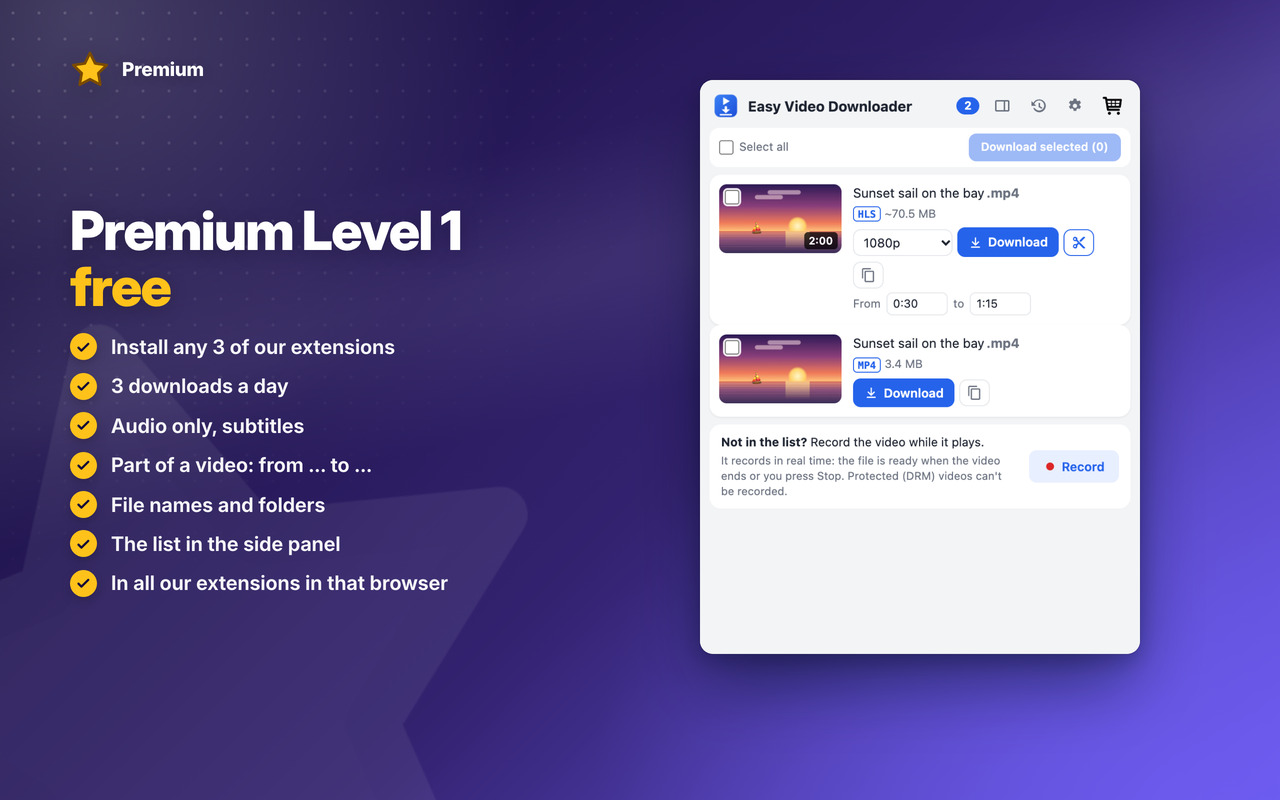
Easy Video Downloader: Premium Level 1

Premium Level 2

Unlimited downloads, several at once, faster, and live streams recorded until you stop 👑
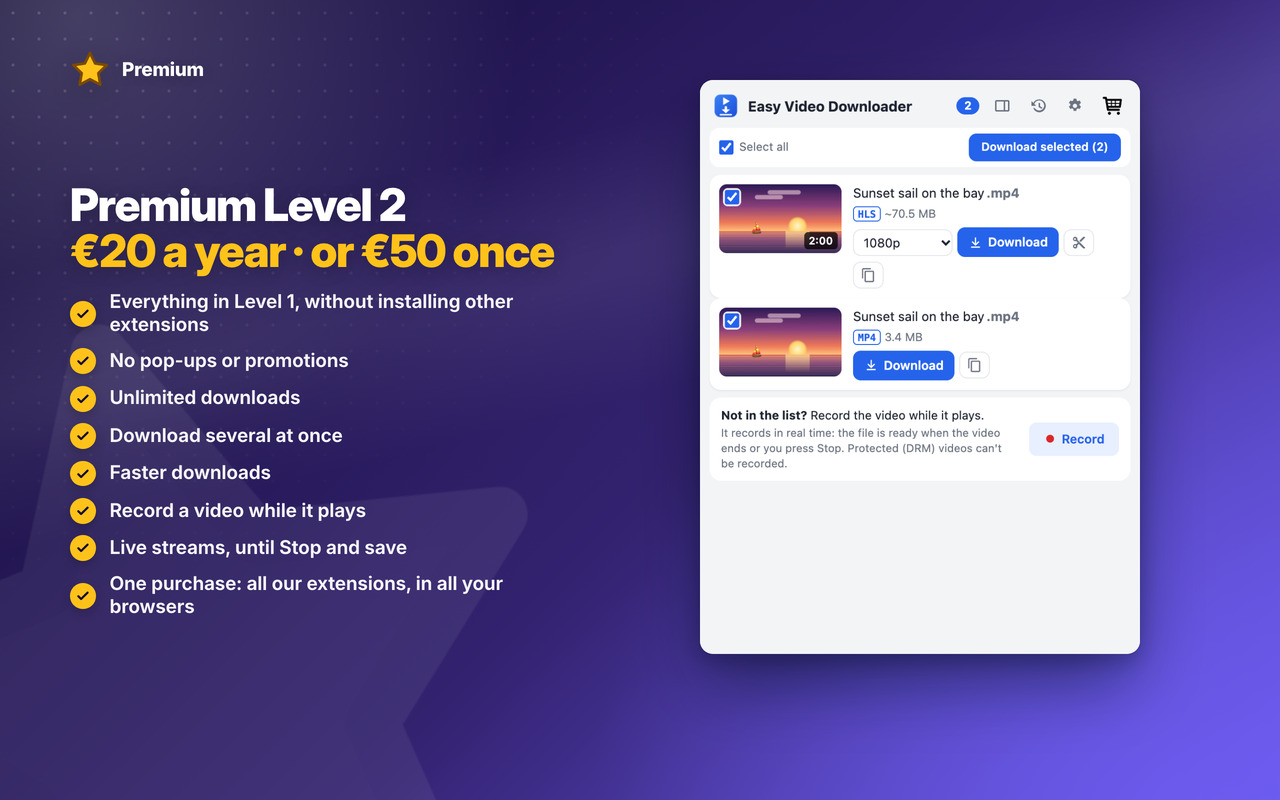
Easy Video Downloader: Premium Level 2

Download

The extension is not responsible for the content downloaded by users, so please check the copyright and permissions before downloading.
Coming Soon!

Coming Soon!

Coming Soon!

Easy Video Downloader


Changelog

v1.1 17/10/2026

✨ NEW Premium Level 1: 3 downloads a day, audio only, subtitles, part of a video, file names and folders, the side panel
👑 NEW Premium Level 2: unlimited downloads, download several at once, faster downloads, record a video while it plays
🔴 NEW Live streams: saved as they go, until you press Stop and save
🎬 Videos with an intro before them, and players that sign their links, now saved right
🔎 Finds a video that hasn’t played yet

OLDER

v1.0 16/10/2026
🎉 First version: the videos on the page you’re on (files, HLS and DASH) saved as one MP4
📐 Choose the quality, with the size of each
🔔 Speed, time left and a notice when it’s done
📚 Downloads history: open, show in folder, search



Permissions

Browser Extension 💻 Win/Mac/Linux
  • “webRequest” – Sees the video files and streams (HLS, DASH) a page loads, so they appear in the list; nothing is changed or sent.
  • “webNavigation” – Knows when a new page opens in a tab, to start its list again.
  • “downloads” – Saves the videos to your Downloads folder, with the name and folder you chose.
  • “downloads.open” – Opens a finished download, or shows it in its folder, from the history.
  • “offscreen” – A hidden page where the pieces of a stream are joined into one MP4 file, on your computer.
  • “scripting” – Reads the page's title and picture for the list, finds a video that hasn't played yet, and records a video when you ask.
  • “declarativeNetRequestWithHostAccess” – Sends the page's address with the video's requests, as some sites refuse them without it.
  • “tabs” – Reads the address and title of the page you're on, so the popup shows its videos.
  • “activeTab” – Access to the tab you're on when you click the icon, to show its videos.
  • “storage” – Saves your settings, the downloads history and today's count on your computer.
  • “unlimitedStorage” – Storage is limited to 5MB of data that may not be enough for the history and long downloads in progress.
  • “notifications” – Desktop notifications: a download is finished or failed, or the App is updated.
  • “contextMenus” – The right-click menu "Download this video"; and more settings when you right-click the App icon.
  • “alarms” – Cleans old temporary files and keeps the history small, every few hours.
  • “sidePanel” – The list of videos in the browser's side panel.
  • “system.display” – Detects the display size to open the history window at a size that fits your screen.
  • “host_permissions” – Videos can be on any site and come from any server, so the extension must see every page you visit. Also used to show the Tips – Tricks – News and to allow intercommunication with other Oinkandstuff Apps.
  • “all_urls” – We cannot predict ahead of time which sites you will visit, so the extension works on any page.
  • 🐗 #OinkAndStuff is certified as 100% Free of malware 🐞 by Softpedia Labs 🔬