
Instant Games · Browser Extension 💻 Win/Mac/Linux
200+ free HTML5 games 🔥
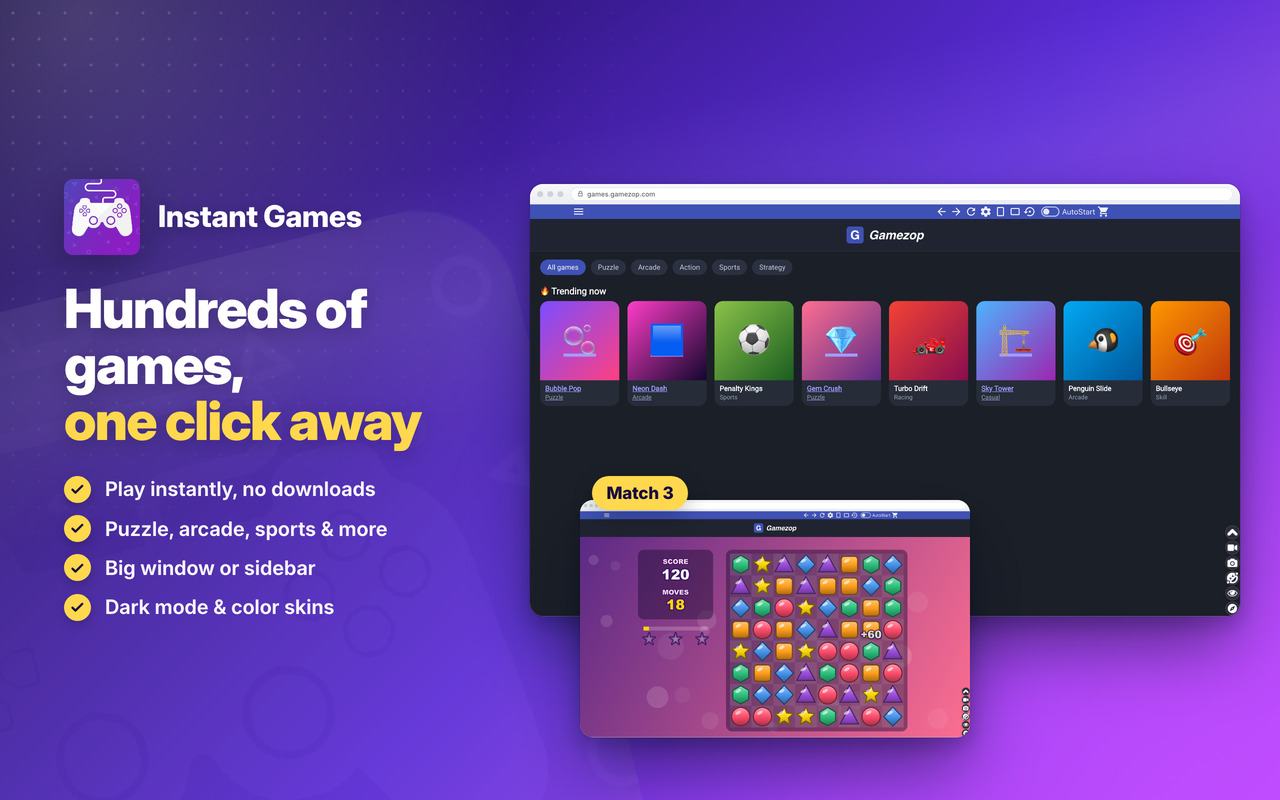
Hundreds of FREE games, one click away 😍 Puzzle, arcade, action, racing and sports 🕹️
Instant Online Games 💥
Some of the best casual games in one app 💣 Beat your best score and try the new games added regularly 🏆
Played by millions 👾
The latest games from top developers, in a single app 🤖
No install 💬
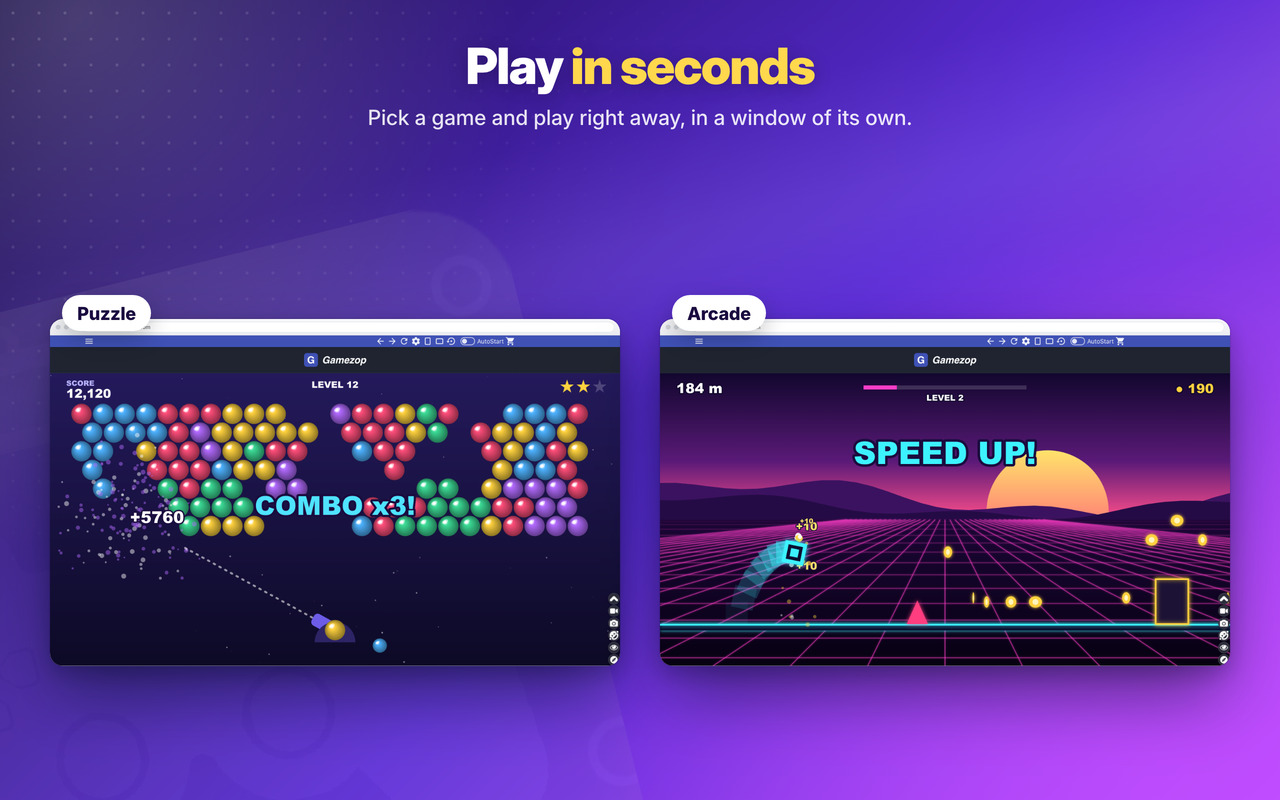
No downloads and no account: pick a game and play in seconds 🚀 In a big window, or the full height of the screen 📺
Fun Games!
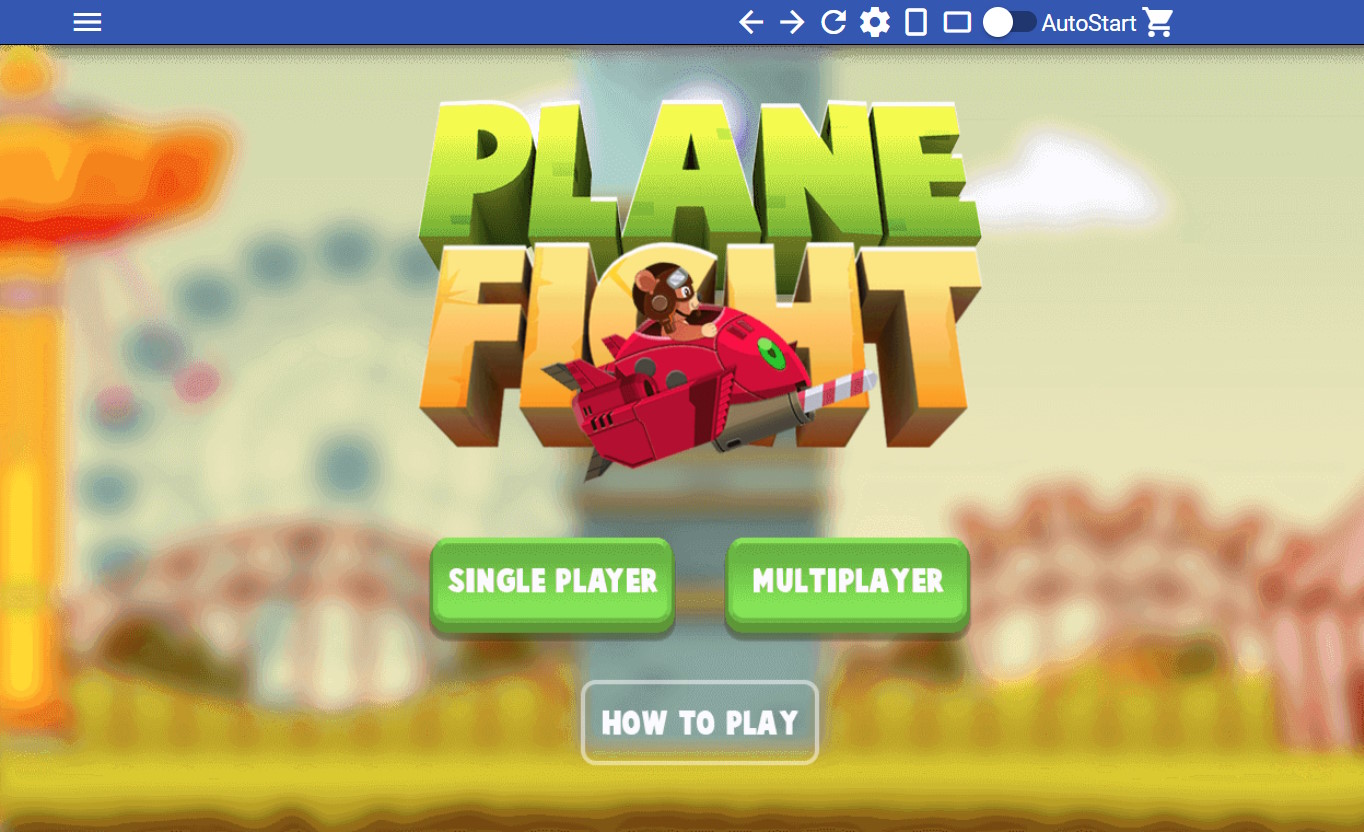
Free Games!
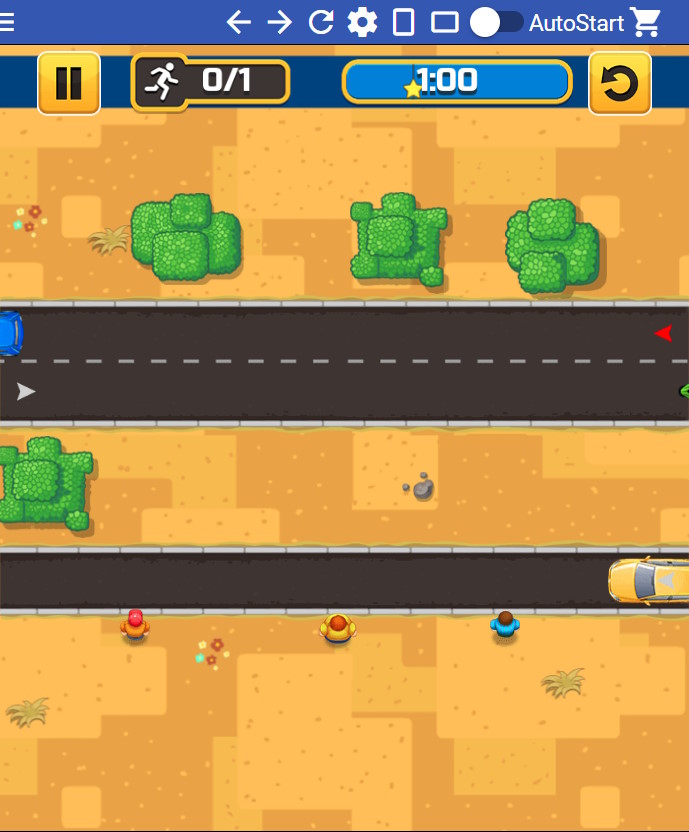
Works Offline!
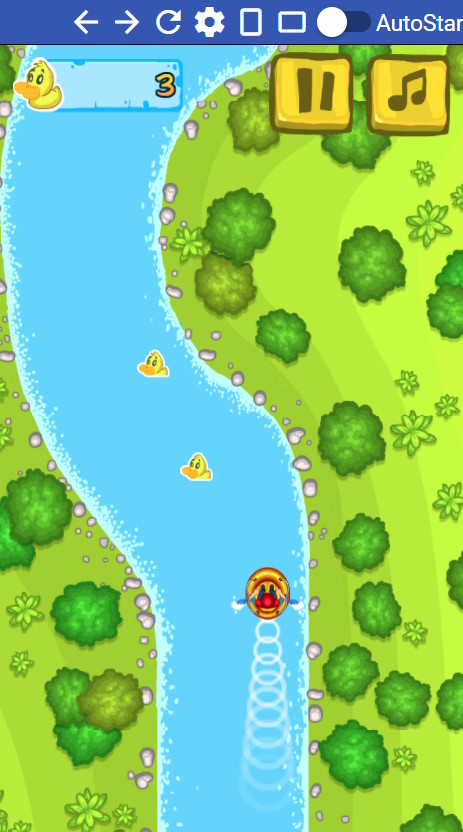
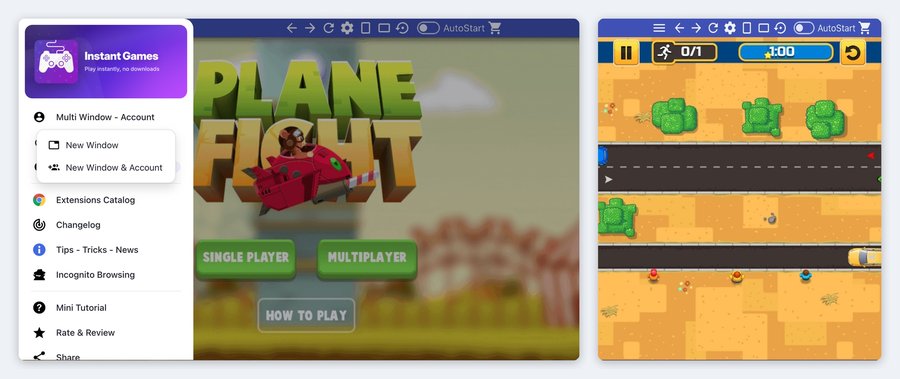
Multi Window - Account 👥
A second window, or 2 different accounts at the same time, side by side 👥
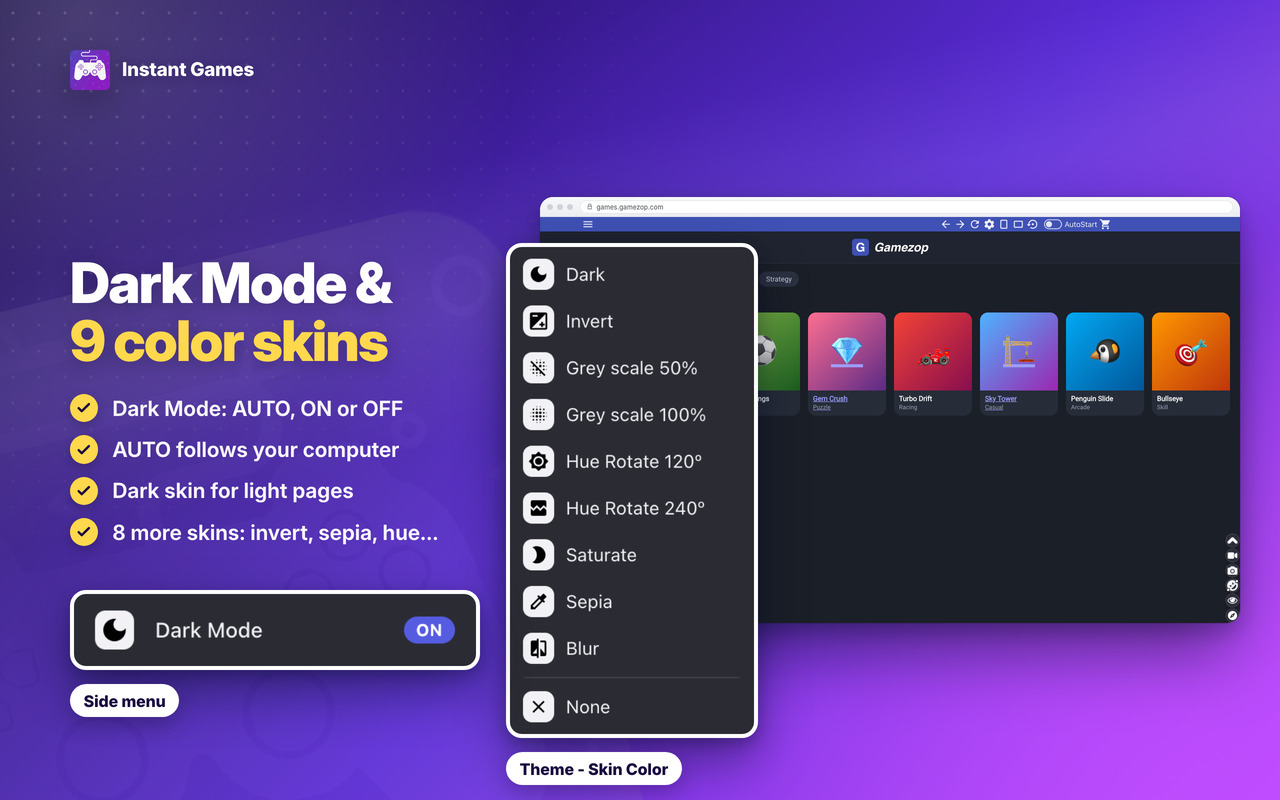
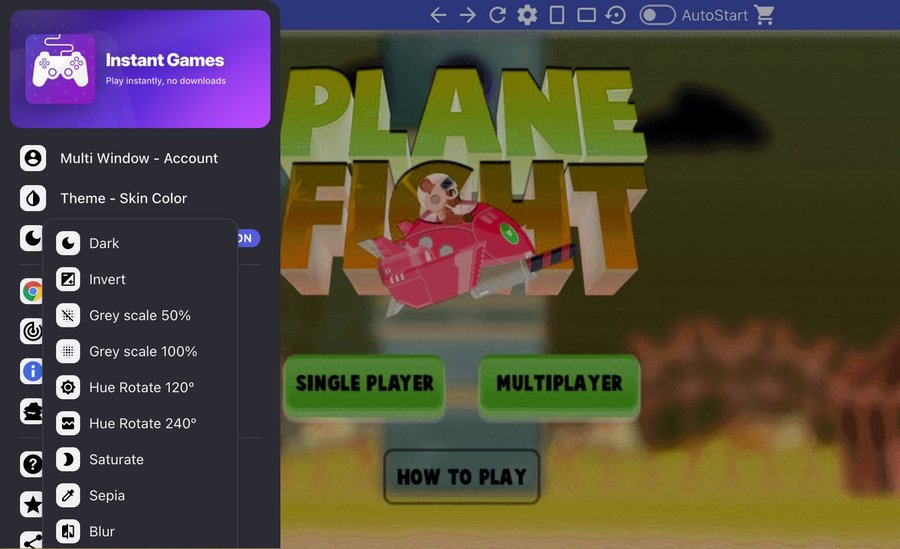
Theme - Skin Color and Dark Mode 🌙
9 skins, including the NEW Dark skin, and NEW Dark Mode: AUTO (like your computer), ON or OFF 🎨
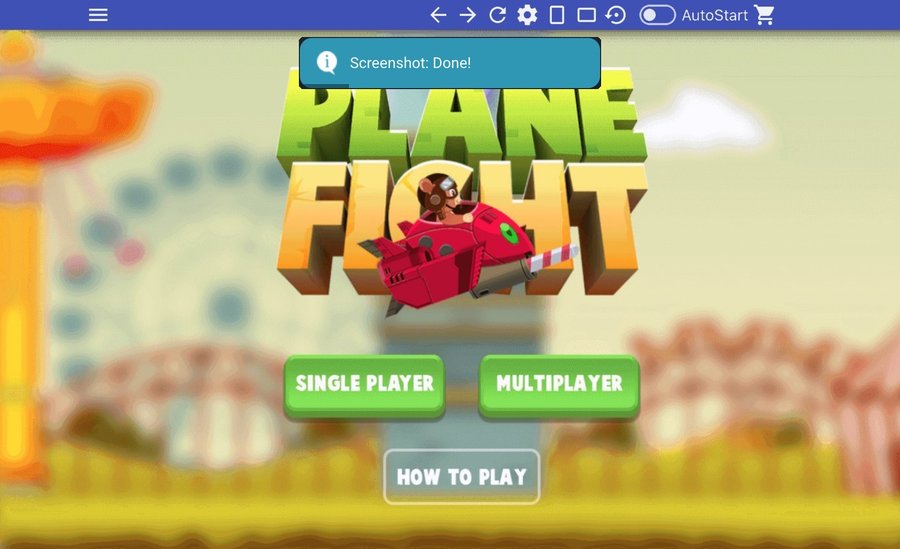
Window Screenshot 📷
Save the whole window as an image in one click 📷
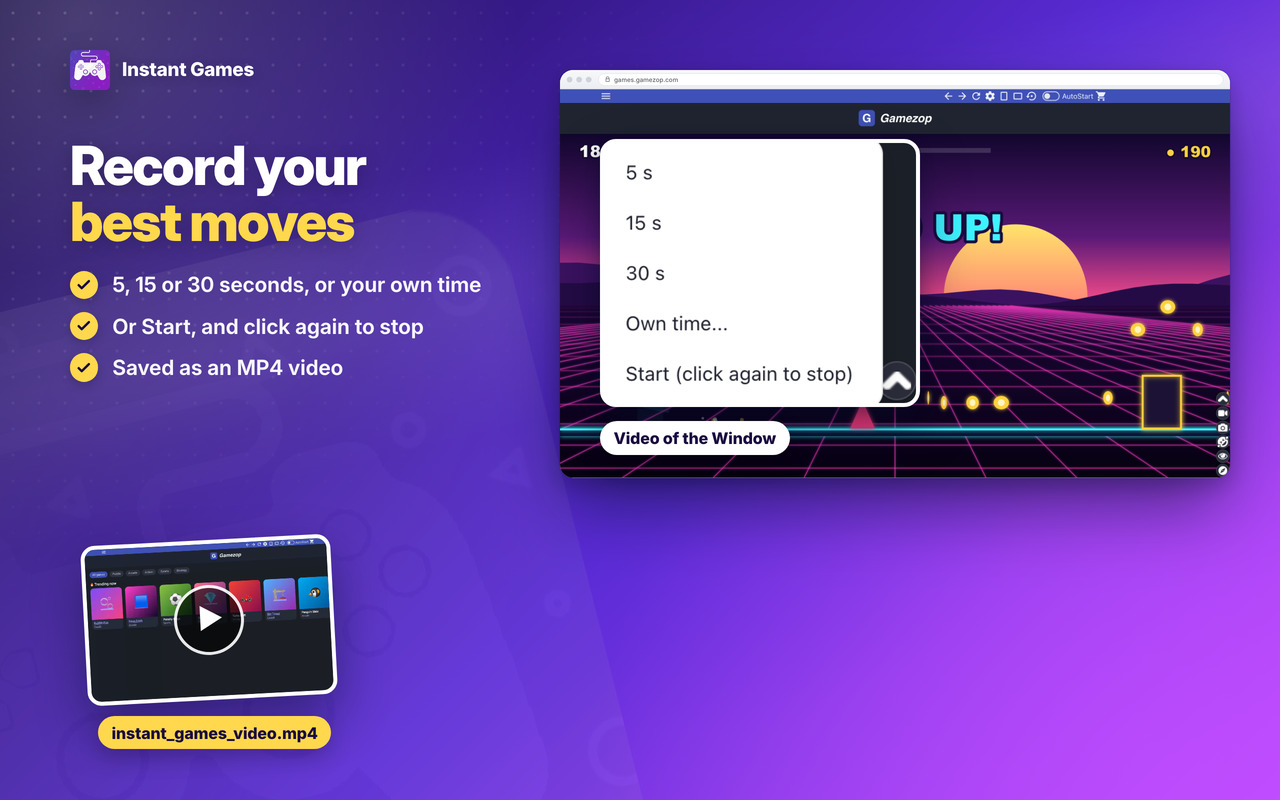
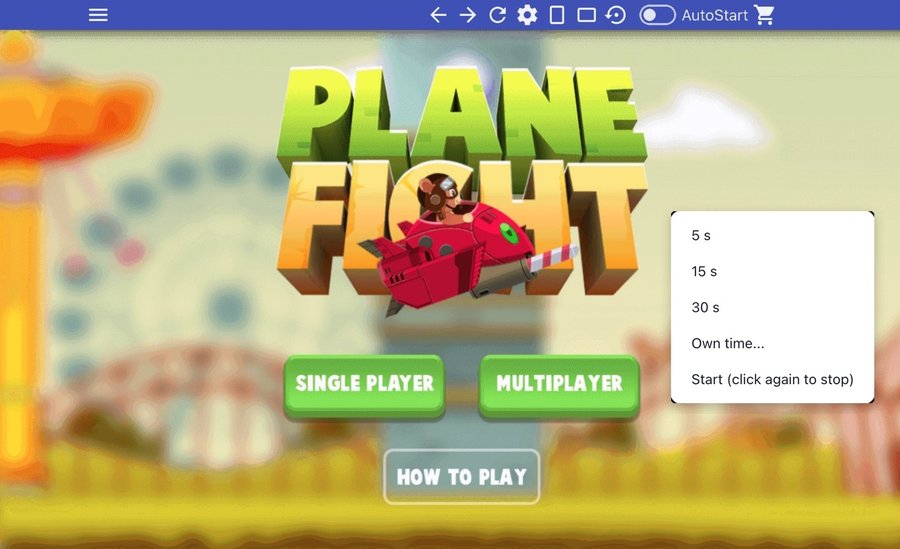
Video of the Window 🎥
Record it for 5, 15 or 30 seconds, or your own time, saved as MP4 🎥
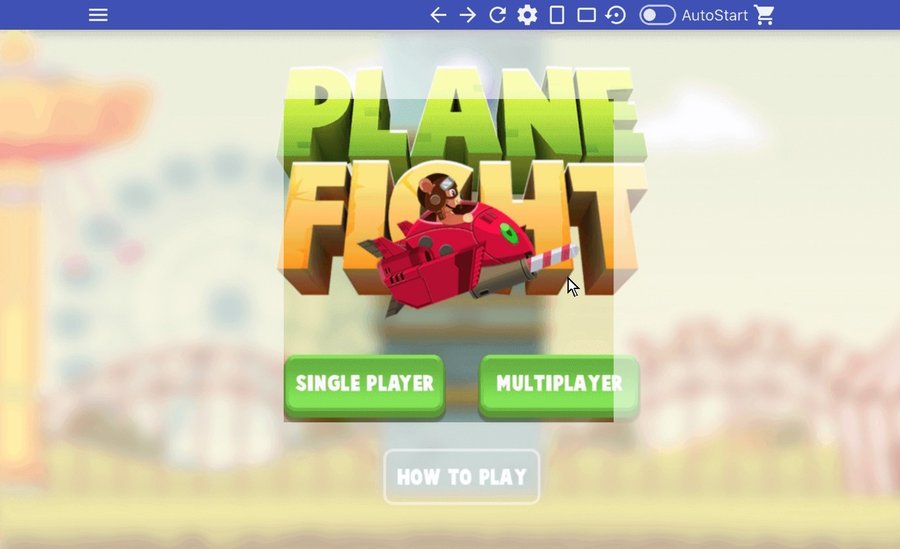
Incognito mode 🕶️
The page stays dimmed until you point at it 🕶️
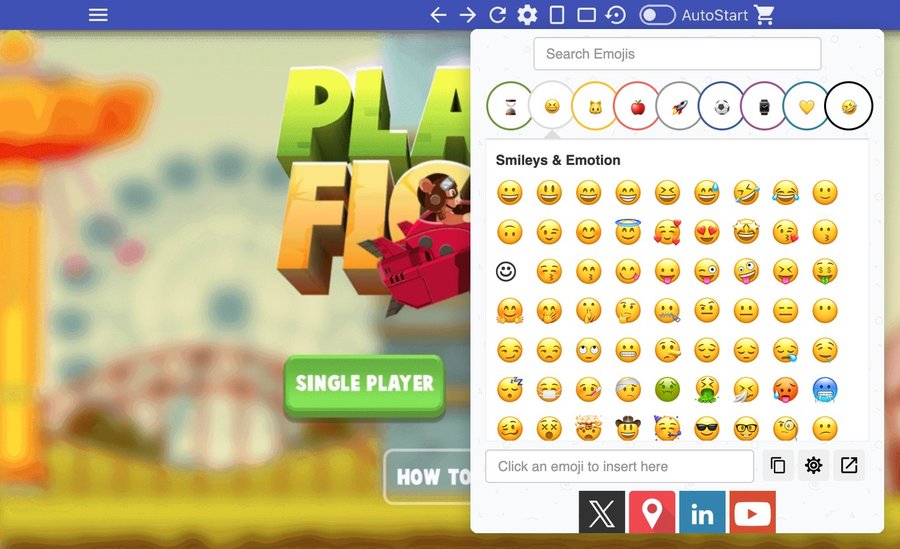
Emoji Keyboard 😀
Put emojis in your messages in one click 😀
Instant Games
Two levels, in all our extensions: Premium Level 1 is free with any 3 of them installed, Premium Level 2 is €20 a year or €50 once.
The video and pictures show Web for Telegram and Multi AI Sidebar, two of our extensions.
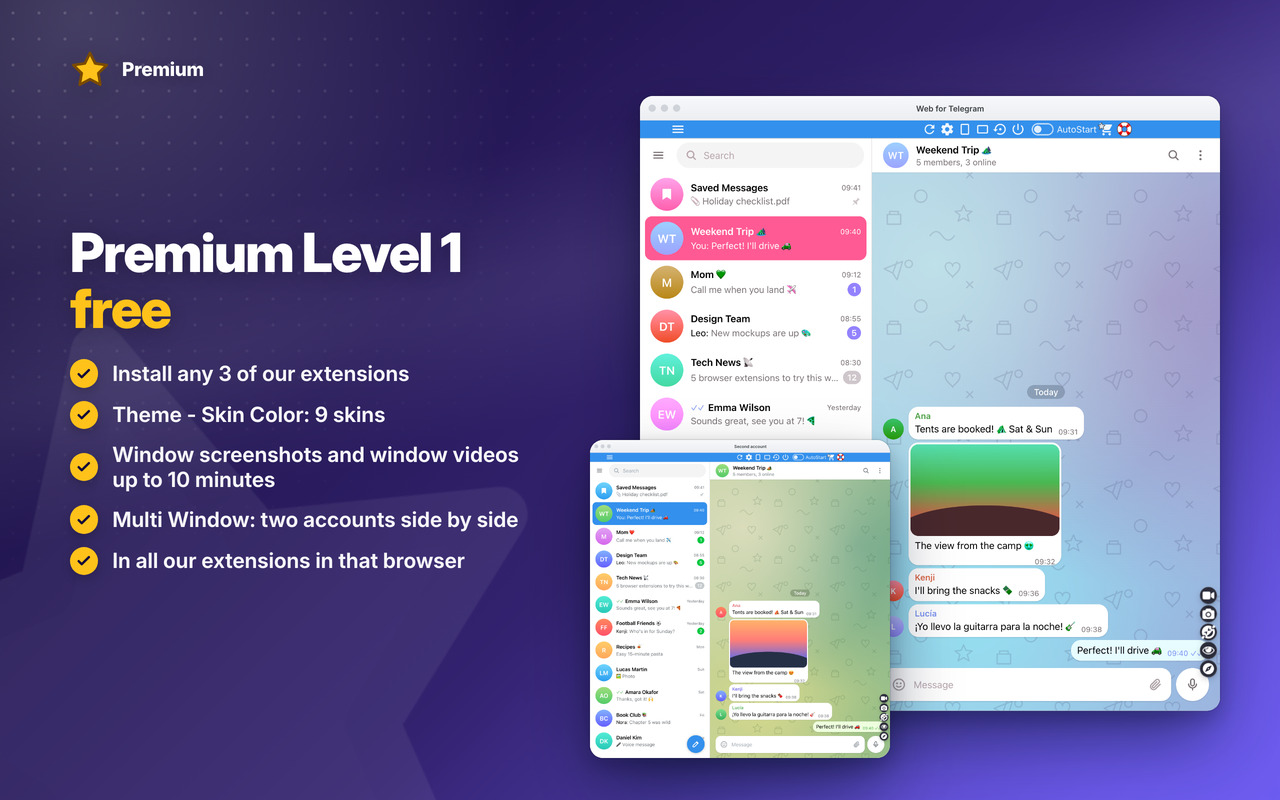
Premium Level 1 · free
With any 3 of our extensions installed, in that browser:
- Theme – Skin Color
- Window screenshots
- Window video recording, up to 10 minutes
- Multi Window – Account
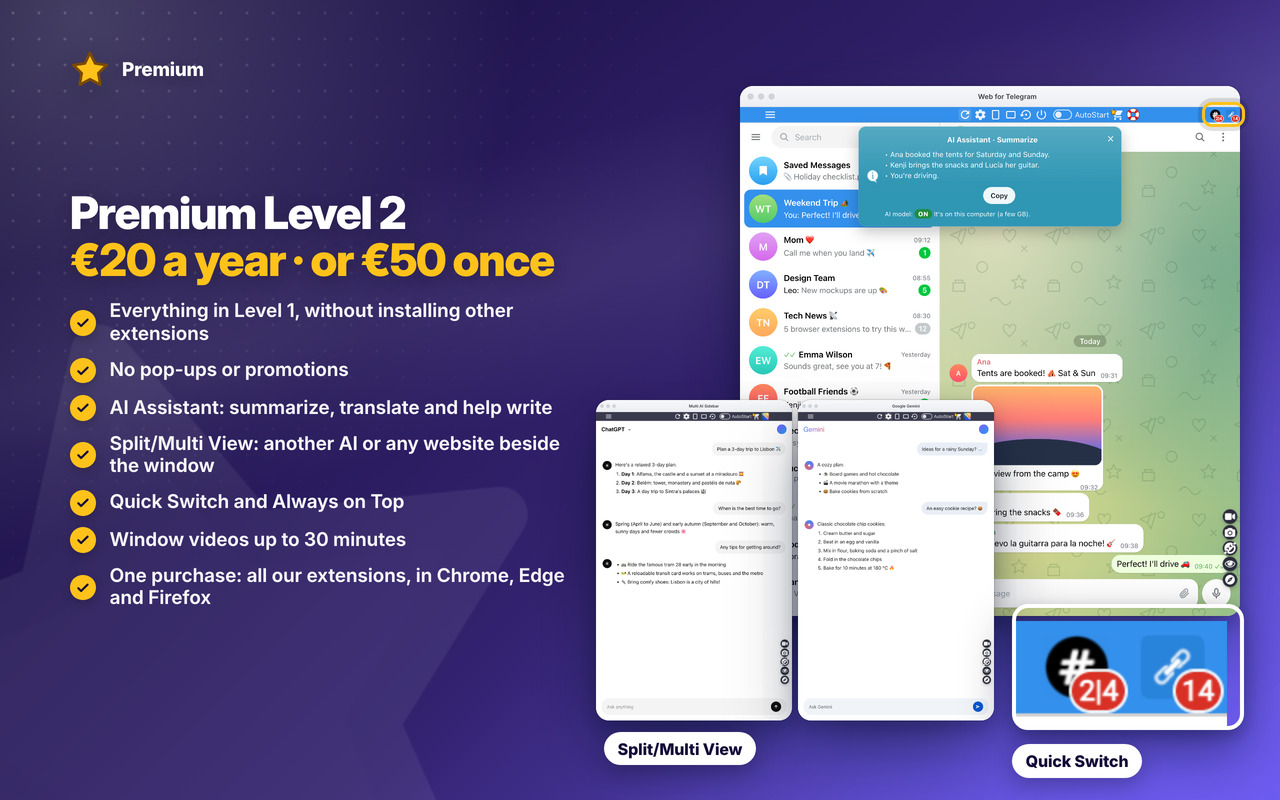
Premium Level 2 · €20 a year or €50 once
- Everything in Level 1, without installing other extensions
- No pop-ups or promotions
- Premium in all our extensions, in Chrome, Edge and Firefox, with one purchase
- AI Assistant: summarize, translate and help write, on your computer (not in Firefox)
- Quick Switch: your other extensions’ unread counts in the top bar, one click to go there
- Always on Top: the window stays above your other apps (in Firefox from version 151)
- Split/Multi View: any website beside this window, in one browser window or two windows that move together (in Firefox: Multi View only)
- Window videos up to 30 minutes
- Early access to new features
- Priority support by email
- New Premium features included
Changelog
v7.1 - 27/10/2026
⭐ NEW Premium: Level 1 stays free with 3 of our extensions installed (Theme – Skin Color, window screenshots, window videos up to 10 minutes, Multi Window – Account); the paid Level 2 has no pop-ups or promotions and adds the features below, in all our extensions
🤖 NEW AI Assistant (Premium Level 2): summarize, translate and help write, on your computer (not in Firefox)
🪟 NEW Split/Multi View (Premium Level 2): any website beside this window, in one browser window or two windows that move together (in Firefox: Multi View only)
📌 NEW Always on Top (Premium Level 2): the window stays above your other apps (in Firefox from version 151)
🔢 NEW Quick Switch (Premium Level 2): your other extensions’ unread counts in the top bar, one click to go there
🎥 Window videos up to 30 minutes with Premium Level 2
⭐ NEW on the Premium page: see Premium in action (video and pictures) and every feature in detail, with a live clip
✨ NEW look for the messages and the Mini Tutorial: light cards, the main button in colour, the page dimmed around each step
😎 The catalog has our 3 new extensions: Easy Ad Blocker, Easy Video Downloader and Easy AI Writer
🔄 After an update, the open window shows one notice, and a click on it reloads the window
🐞 The side menu always opens and closes, also on pages that stop animations
🐞 The games’ left menu fits the window: its last item is no longer cut at the bottom
🍪 While Gamezop’s cookie message is open it blocks every other click: a click on the top bar or the side menu now shows a note to answer it first
🔒 No more warnings on the extension’s Errors page
OLDER
v7.0 – 09/10/2026
✨ NEW modern look: rounded side menu, menus, messages and mini tutorial, cleaner top-bar buttons in the same places and sizes, the same on every site
🌙 NEW Dark Mode in the side menu: AUTO (like your computer), ON or OFF
🌑 NEW Dark skin: makes light pages dark and leaves dark pages as they are
📐 NEW top-bar button: the window goes back to its default size and position in one click
🖥️ The window grows on bigger screens (1440p, 4K), in its usual place
🛟 Safer window: if a monitor is unplugged or the place doesn’t fit, the window opens on the main screen instead of not opening
🎥 NEW Video of the window: 5, 15 or 30 seconds, your own time, or start and stop yourself (saved as MP4)
🎓 The mini tutorial now shows every option: the side menu (Theme – Skin Color, Multi Window – Account, Incognito, Changelog…) and the new buttons, without scrolling the page
🔄 Edge: after an update or a restart, the open window shows “click here to reload”, so the top bar keeps working
👥 NEW “New Window & Account”: open a second window with another account, side by side (allow the extension in private windows: “Allow in InPrivate” on Edge, “Run in Private Windows” on Firefox)
🦊 Firefox: NEW “New Window” too, a second window of the same account
🪟 New Window opens a little to the side, so you see both windows
🎨 Theme – Skin Color reworked: the skin covers the whole site while the top bar and menus keep their colours, “None” really clears it and “Invert” is now a real dark mode 🌙
💻 The big game window opens fully on screen, also on small screens (its title bar was off-screen)
🔗 Right-click › “Open in Instant Games” now also on gamezop.com and umogames.com game links
🐞 Round of Bugfixes: the top bar shows on the first open, SideBar/WideBar work at the first click after you resize the window, Screenshot always takes the extension window
🖼️ News & Tips: pictures load on every site and the messages show at most once a day
🎓 Mini tutorial and popup buttons look right on every site
📐 Top bar: the menu button sits in line with the other buttons on every site, and nothing under the bar blocks clicks on the page
🔒 Security improvements and no more warnings on the extension’s Errors page
v6.5 – 15/09/2026
🎮 New games 🎮
🐞 Round of Bugfixes
v6.4 – 01/11/2025
🎮 Lots of New games 🎮
⚡ Updated introJS from 7.2.0 to 8.3.2
🐞 Round of Bugfixes
🛬 Performance improvements
v6.3 – 29/05/2024
🎮 New games
⚡ Updated Jquery from 3.6.4 to 3.7.1
⚡ Updated introJS from 6.0.0 to 7.2.0
🦊 Some improvements for Firefox version of the extension
v6.2 – 15/04/2024
🃏 Added game for Astrology
❓ Added game for Quizzes
v6.1 – 24/03/2024
🔗 Fixed Chrome links for the new WebStore Link format from chrome.google.com/webstore to chromewebstore.google.com => https://chromewebstore.google.com/detail/enhnhpibeofnhkhcakhmlbmhplfjhnjd
🧫 Fixed CSS style issues
💻 Fixed window size that was getting bounds.height instead of workArea.height. The window was resized behind Windows and MacOs taskbar. Now it will get the available working area of the screen and the Extension window will be more perfectly positioned 👍
v6.0 – 12/02/2024
🚨 Updated performance and bugfixes;
v5.9 – 29/03/2023
🚧 Updated Jquery library to v3.6.4
🚨 Updated IntroJs library to v6.0.0
😁 Updated Jquery-ContextMenu library to v2.9.2
💬 Updated Toastr library to v2.1.4
v5.8 – 02/02/2023
🚧 Edge extension now migrated to manifest V3
💎 Improved performance and security
v5.6 – 16/05/2022
🧊 Fixes some bugs and performance improvements.
💣 Fixed some interface issues.
🚧 Major improvements on Edge and Firefox browser extension
💎 Use Firefox or Edge Browser for the best performance and latest features 💎
v1.8 – 17/12/2019
🔧 Bugfixes and performance improvement.
v1.7 – 09/04/2019
🤩 Upgrade of the Material Design from v0.34.0 to v1.1.0 – the latest version.
😍 New topbar upgraded to the latest Material Design.
🔧 Improved the settings menu. Previously 3 dots on the right top of the window. Now 3 lines (hamburger) on the top left.
😇 Improved layout and default window size is now bigger to adapt to bigger screen but maintaining the smartphone portrait layout.
🤠 Options page layout also improved a bit.
💀 Removed oinkandstuff Google+ (rest in piece) and replaced by our linkedin page. Give us a follow on Linkedin.
🥋 Removed CSS from unused paged that lead to better performance.
🐞 For any bugs contact us by Social media, email or contact form.
v1.6 – 25/03/2019
😀 Minor bugfixes and performance improvement 🚴
v1.5 – 25/01/2019
👑 huge performance improvement. Moving code from setTimeout and setInterval to mutationObservers.
🚀 Change Javascript execution to document_start instead document_end for faster responsiveness and reduced opening times.
v1.4 – 15/01/2019
📌 Integration with Emoji Keyboard 🍎🚧⭐
🔧 On the bottom right of the window will show a new circle with an emoji: 😂
💾 By clicking on it, it will ask to install the emoji keyboard or in case you have it installed will open the app.
⭐ Install now the Emoji keyboard for Google Chrome or Firefox and make your texts way more fun ⭐🚀
v1.3 – 21/12/2018
📌 Improvements on App Notifications.
😍 Improvements on the Popup Notifications style.
🚧 Other minor improvements.
🍎 Support our work by giving us ⭐⭐⭐⭐⭐ 5 stars: here
v1.2 – 26/11/2018
🚧 Generic minor bugfixes.
👑 Performance improvements (10%)
🔥 Right click on App icon opens context menu so that you can rate the extension on the webstore. Please support our work by giving us ⭐⭐⭐⭐⭐ 5 stars: here
v1.1 – 17/09/2018
⚡ Instant Messages reactivated. A popup occasionally may show when App starts with important information. On 3 dots (settings) -> OinkAndStuff News is also working again 😇
😭 Support our work by following us on Facebook, Youtube, Instagram, Twitter. Its important so that we can continue to improve our Apps with new and exciting features 😉
🐞 Minor bugfixes and some performance improvements (10%)
🏆 Improvements to be fully compatible for the new Chrome 69, 10th anniversary.v1.1 – 17/09/2018
⚡ Instant Messages reactivated. A popup occasionally may show when App starts with important information. On 3 dots (settings) -> OinkAndStuff News is also working again 😇
😭 Support our work by following us on Facebook, Youtube, Instagram, Twitter. Its important so that we can continue to improve our Apps with new and exciting features 😉
🐞 Minor bugfixes and some performance improvements (10%)
🏆 Improvements to be fully compatible for the new Chrome 69, 10th anniversary.v1.1 – 17/09/2018
⚡ Instant Messages reactivated. A popup occasionally may show when App starts with important information. On 3 dots (settings) -> OinkAndStuff News is also working again 😇
😭 Support our work by following us on Facebook, Youtube, Instagram, Twitter. Its important so that we can continue to improve our Apps with new and exciting features 😉
🐞 Minor bugfixes and some performance improvements (10%)
🏆 Improvements to be fully compatible for the new Chrome 69, 10th anniversary.v1.1 – 17/09/2018
⚡ Instant Messages reactivated. A popup occasionally may show when App starts with important information. On 3 dots (settings) -> OinkAndStuff News is also working again 😇
😭 Support our work by following us on Facebook, Youtube, Instagram, Twitter. Its important so that we can continue to improve our Apps with new and exciting features 😉
🐞 Minor bugfixes and some performance improvements (10%)
🏆 Improvements to be fully compatible for the new Chrome 69, 10th anniversary.v1.1 – 17/09/2018
⚡ Instant Messages reactivated. A popup occasionally may show when App starts with important information. On 3 dots (settings) -> OinkAndStuff News is also working again 😇
😭 Support our work by following us on Facebook, Youtube, Instagram, Twitter. Its important so that we can continue to improve our Apps with new and exciting features 😉
🐞 Minor bugfixes and some performance improvements (10%)
🏆 Improvements to be fully compatible for the new Chrome 69, 10th anniversary.v1.1 – 17/09/2018
⚡ Instant Messages reactivated. A popup occasionally may show when App starts with important information. On 3 dots (settings) -> OinkAndStuff News is also working again 😇
😭 Support our work by following us on Facebook, Youtube, Instagram, Twitter. Its important so that we can continue to improve our Apps with new and exciting features 😉
🐞 Minor bugfixes and some performance improvements (10%)
🏆 Improvements to be fully compatible for the new Chrome 69, 10th anniversary.v1.1 – 17/09/2018
⚡ Instant Messages reactivated. A popup occasionally may show when App starts with important information. On 3 dots (settings) -> OinkAndStuff News is also working again 😇
😭 Support our work by following us on Facebook, Youtube, Instagram, Twitter. Its important so that we can continue to improve our Apps with new and exciting features 😉
🐞 Minor bugfixes and some performance improvements (10%)
🏆 Improvements to be fully compatible for the new Chrome 69, 10th anniversary.v1.1 – 17/09/2018
⚡ Instant Messages reactivated. A popup occasionally may show when App starts with important information. On 3 dots (settings) -> OinkAndStuff News is also working again 😇
😭 Support our work by following us on Facebook, Youtube, Instagram, Twitter. Its important so that we can continue to improve our Apps with new and exciting features 😉
🐞 Minor bugfixes and some performance improvements (10%)
🏆 Improvements to be fully compatible for the new Chrome 69, 10th anniversary.v1.1 – 17/09/2018
⚡ Instant Messages reactivated. A popup occasionally may show when App starts with important information. On 3 dots (settings) -> OinkAndStuff News is also working again 😇
😭 Support our work by following us on Facebook, Youtube, Instagram, Twitter. Its important so that we can continue to improve our Apps with new and exciting features 😉
🐞 Minor bugfixes and some performance improvements (10%)
🏆 Improvements to be fully compatible for the new Chrome 69, 10th anniversary.v1.1 – 17/09/2018
⚡ Instant Messages reactivated. A popup occasionally may show when App starts with important information. On 3 dots (settings) -> OinkAndStuff News is also working again 😇
😭 Support our work by following us on Facebook, Youtube, Instagram, Twitter. Its important so that we can continue to improve our Apps with new and exciting features 😉
🐞 Minor bugfixes and some performance improvements (10%)
🏆 Improvements to be fully compatible for the new Chrome 69, 10th anniversary.v1.1 – 17/09/2018
⚡ Instant Messages reactivated. A popup occasionally may show when App starts with important information. On 3 dots (settings) -> OinkAndStuff News is also working again 😇
😭 Support our work by following us on Facebook, Youtube, Instagram, Twitter. Its important so that we can continue to improve our Apps with new and exciting features 😉
🐞 Minor bugfixes and some performance improvements (10%)
🏆 Improvements to be fully compatible for the new Chrome 69, 10th anniversary.v1.1 – 17/09/2018
⚡ Instant Messages reactivated. A popup occasionally may show when App starts with important information. On 3 dots (settings) -> OinkAndStuff News is also working again 😇
😭 Support our work by following us on Facebook, Youtube, Instagram, Twitter. Its important so that we can continue to improve our Apps with new and exciting features 😉
🐞 Minor bugfixes and some performance improvements (10%)
🏆 Improvements to be fully compatible for the new Chrome 69, 10th anniversary.v1.1 – 17/09/2018
⚡ Instant Messages reactivated. A popup occasionally may show when App starts with important information. On 3 dots (settings) -> OinkAndStuff News is also working again 😇
😭 Support our work by following us on Facebook, Youtube, Instagram, Twitter. Its important so that we can continue to improve our Apps with new and exciting features 😉
🐞 Minor bugfixes and some performance improvements (10%)
🏆 Improvements to be fully compatible for the new Chrome 69, 10th anniversary.
v1.0 – 26/08/2018
🔥 First Release.
