Easy Screen Capture · Browser Extension 💻 Win/Mac/Linux
Easy Screen Capture 📌

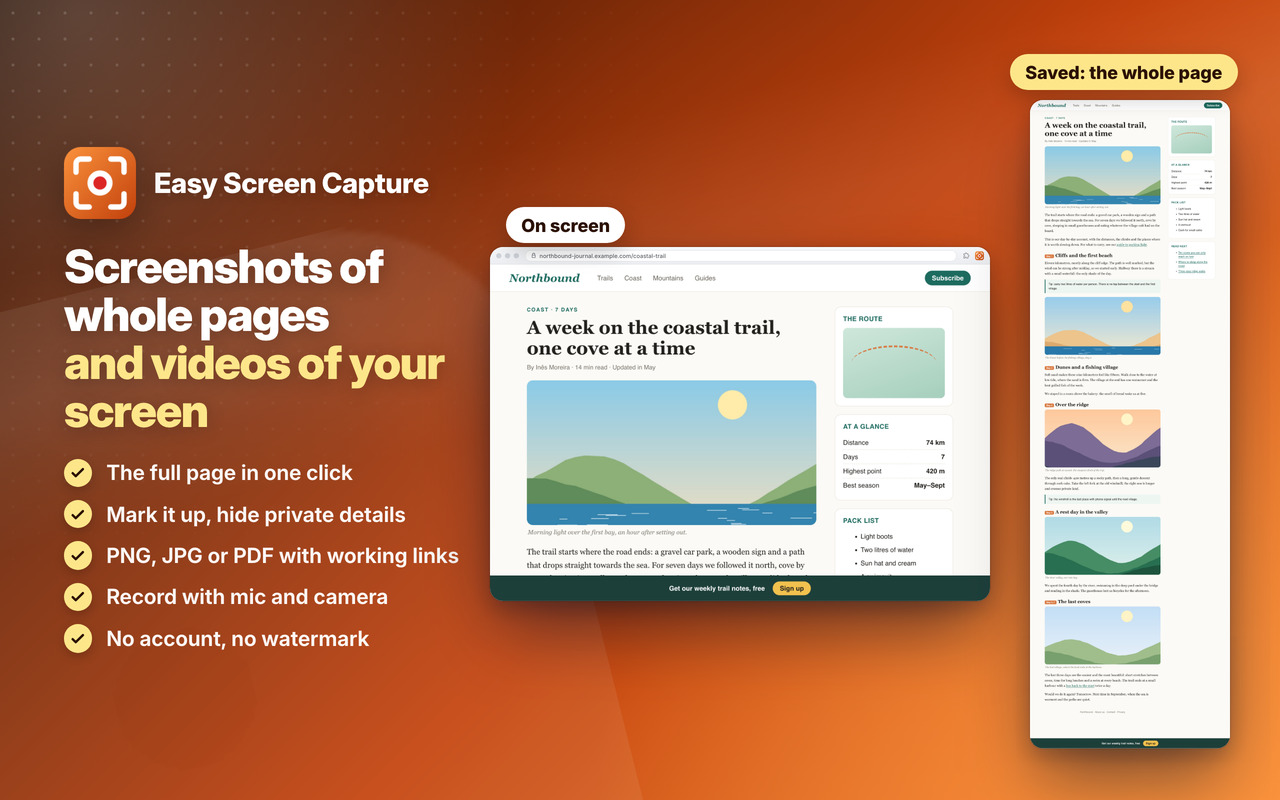
Screenshots of whole pages and videos of your screen, in one click 📌 no account, no watermark, nothing uploaded 🚨

Full page, done right 📜

Sticky headers only once, lazy pictures loaded first, inner scroll areas and very tall pages split into parts 🧩

Record with your voice 🎙️

Record your screen with your microphone and a camera bubble: pause, resume, no time limit of ours ⏯️

Private 🔒

Your captures stay on your computer until you save them: no account, no upload, no share links 🙂


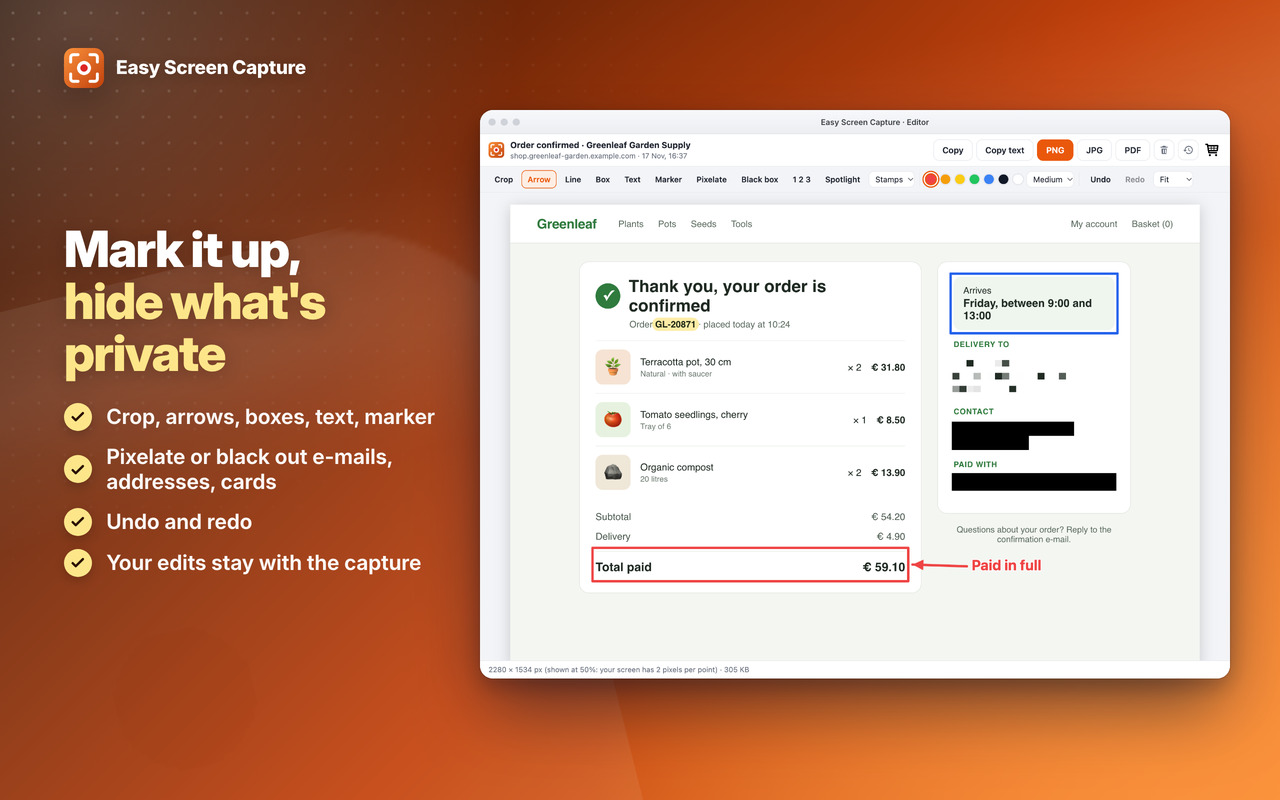
Mark it up, hide what's private

Crop, arrows, boxes, text and highlighter; pixelate or black out e-mails, addresses and cards ✏️
Easy Screen Capture: Mark it up, hide what's private

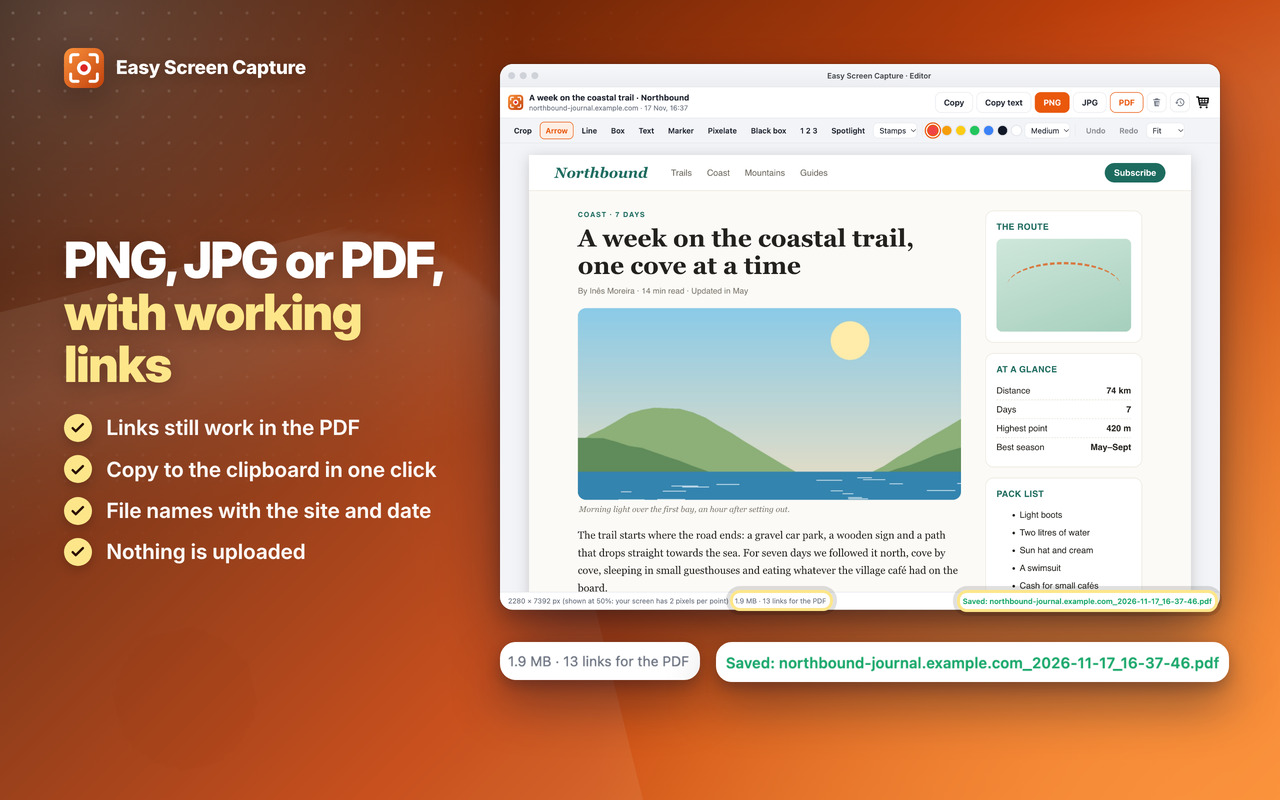
PDF with working links

Save as PNG, JPG or PDF: the page's links still work in the PDF, file names with the site and the date 🔗
Easy Screen Capture: PDF with working links

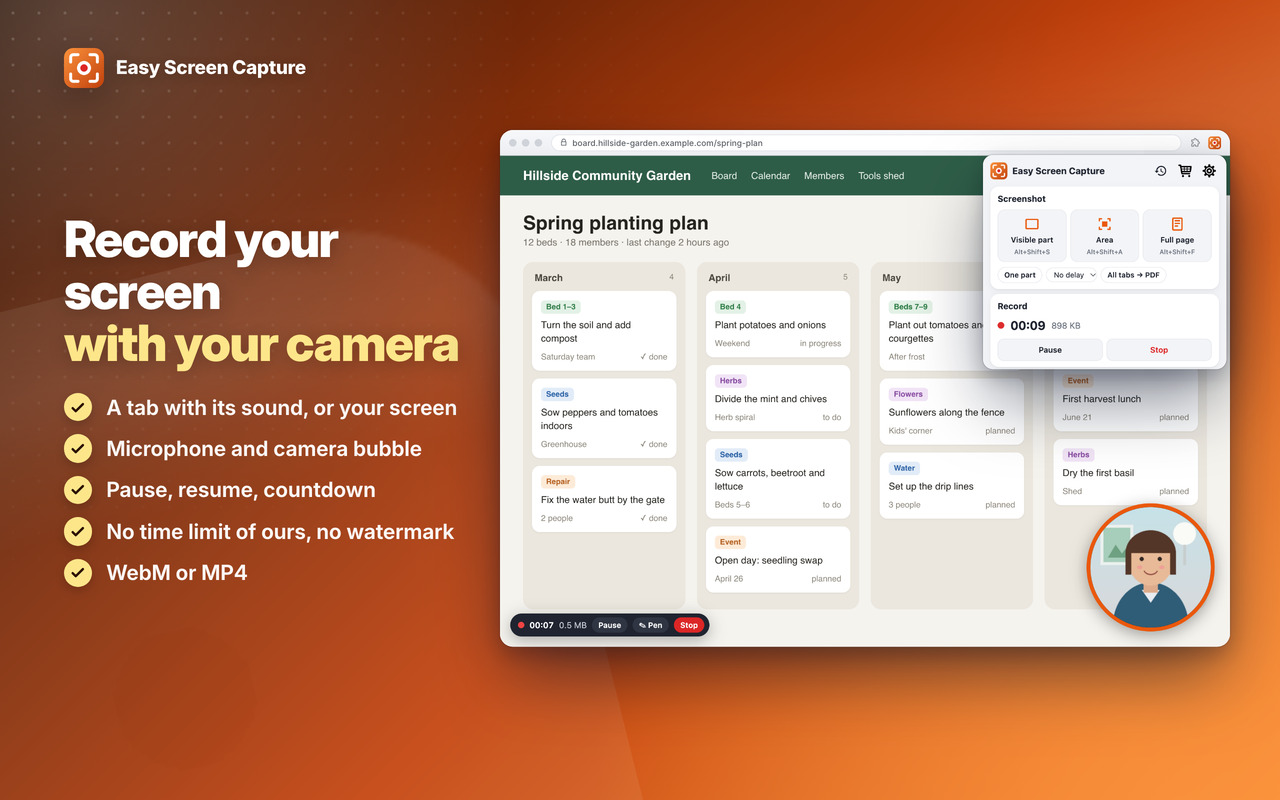
Record your screen with your camera

Your microphone and a round camera bubble, pause and a 3-second countdown, no watermark 🎬
Easy Screen Capture: Record your screen with your camera

Download

Coming Soon!

Coming Soon!

Coming Soon!

Easy Screen Capture

Premium

Two levels, in all our extensions: Premium Level 1 is free with any 3 of them installed, Premium Level 2 is €20 a year or €50 once.

Checkout shows the price in your own currency. Then, on the Premium page of any of our extensions (Premium Features in its menu, or its cart icon), click Already paid? Restore your purchase.
Premium Level 1

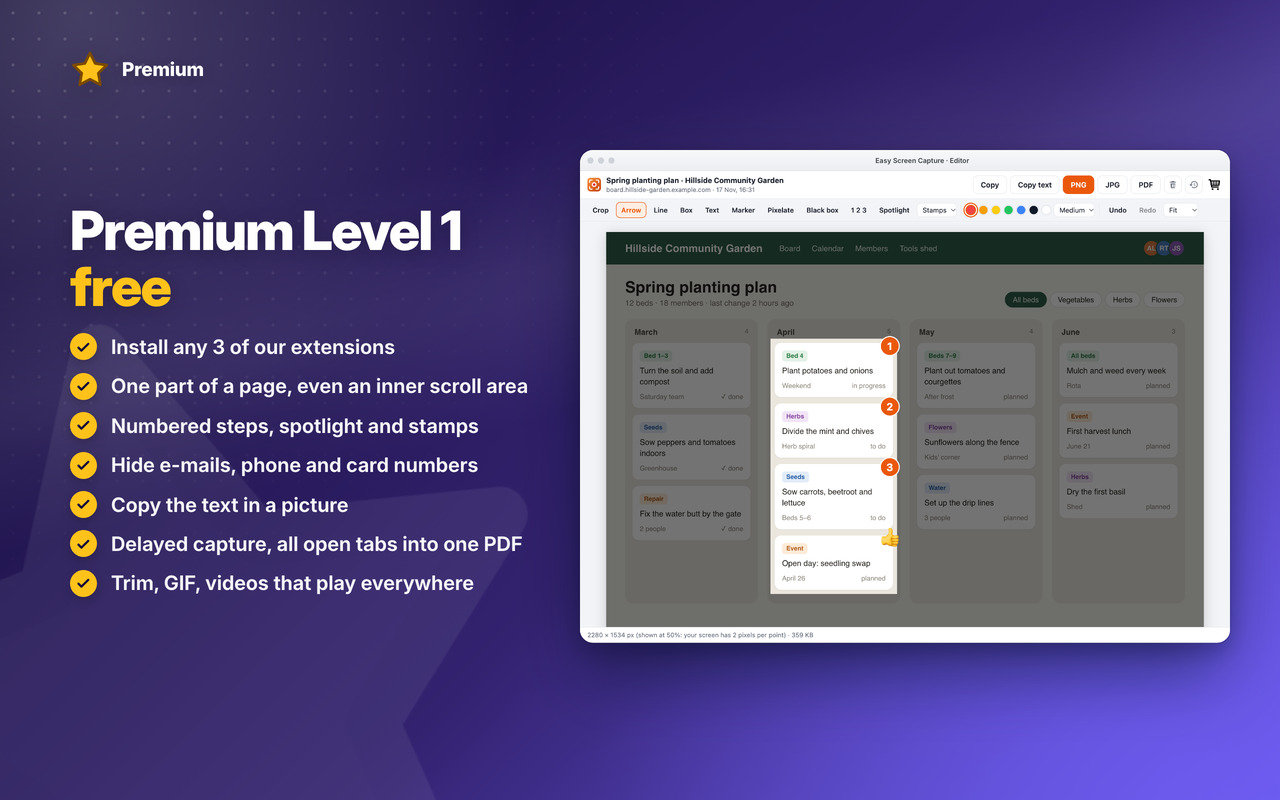
Premium Level 1 · free

With any 3 of our extensions installed, in that browser:

  • Capture one part of the page
  • Delayed capture
  • All open tabs into one PDF
  • A4 and Letter PDF pages
  • Save into a folder without asking
  • Numbered steps, spotlight and stamps
  • Hide e-mails and numbers
  • Draw on the page while recording
  • Show your clicks
  • Quality presets
  • Full history with search
  • Export and import settings
  • Videos that play everywhere
  • Trim a recording
  • GIF of a short clip
  • Copy text from a capture
Premium Level 2

Premium Level 2 · €20 a year or €50 once

  • Everything in Level 1, without installing other extensions
  • No pop-ups or promotions
  • Your logo on images and videos (in Firefox: Your logo on your screenshots)
  • Scrolling video of a whole page (not in Firefox)
  • Zoom in where you click (not in Firefox)
  • Batch capture
  • One page at several widths
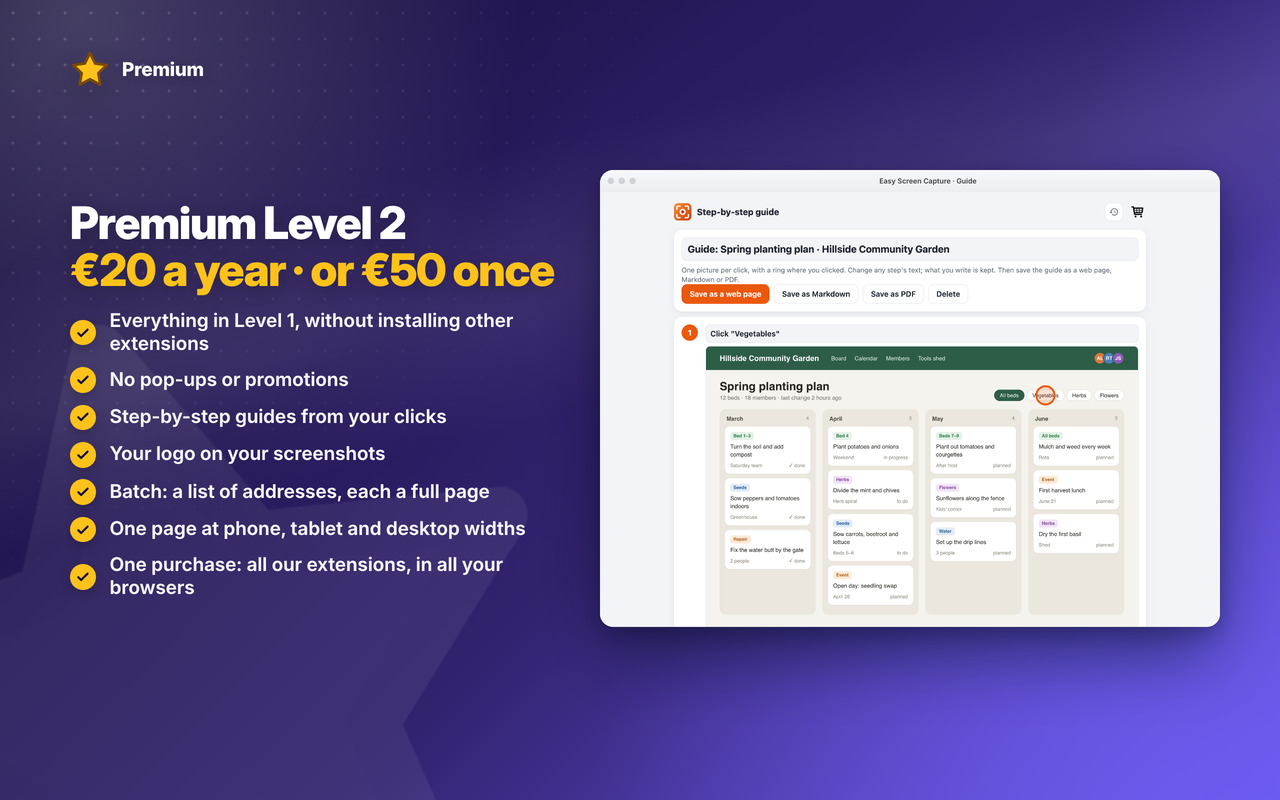
  • Step-by-step guide maker
  • Premium in all our extensions, in Chrome, Edge and Firefox, with one purchase
  • Early access to new features
  • Priority support by email
  • New Premium features included
Hide e-mails and numbers
Step-by-step guides
Draw while recording

See all Easy Screen Capture Premium features →


Changelog

v1.0 17/11/2026

🎉 First version: screenshots of the visible part, an area or the whole page, and recordings of your screen with your microphone
📜 Full page on hard pages: sticky headers once, lazy pictures loaded, inner scroll areas, very tall pages split into parts
✏️ Editor: crop, arrows, boxes, text, highlighter, pixelate and black-box redaction, undo and redo
🔗 PNG, JPG or PDF with the page’s links still working; copy to the clipboard
🎬 A camera bubble, pause and a 3-second countdown; no time limit of ours and no watermark
🔒 Nothing uploaded: no account, no share links
⭐ Premium Level 1: one part of a page, delayed capture, all tabs into one PDF, A4/Letter, steps and spotlight, hide e-mails and numbers, pen and clicks while recording, videos that play everywhere, trim, GIF, copy text
👑 Premium Level 2: your logo, a scrolling video of a page, zoom on clicks, batch capture at several widths, step-by-step guides



Permissions

Browser Extension 💻 Win/Mac/Linux
  • “activeTab” – Access to the tab you're on when you click the icon, the right-click menu or a shortcut, to take its picture or record it, also on the browser's own pages.
  • “scripting” – Inserts our script into the page you capture, only when you capture or record it: the area layer, the full-page scrolling (fixed and sticky parts shown once, put back after), the links for the PDF, the countdown, the recording bar, the camera bubble and the pen.
  • “tabs” – Reads the title and address of the tabs for the file names and your history, to put every tab of a window into one PDF, and for the batch capture of a list of addresses.
  • “tabCapture” – Records the tab you're on, with its sound, when you start a recording; the video stays on your computer.
  • “offscreen” – The recorder page that records the tab (or the window or screen you choose) and writes the video to your disk while it records.
  • “downloads” – Saves your screenshots (PNG, JPG, PDF), recordings (WebM, MP4, GIF) and guides into your downloads.
  • “clipboardWrite” – Copies a screenshot, or the text read in it, to the clipboard.
  • “storage” – Used to save settings on your local computer: what happens after a screenshot, the formats, the PDF pages, the recording choices, your logo.
  • “unlimitedStorage” – Storage is limited to 10MB of data that may not be enough: your recent screenshots and recordings stay in this browser until you delete them, and long recordings are written to disk as they record.
  • “contextMenus” – Allows capturing from the right-click menu on a page (the visible part, an area, the full page, one part, record) and adding more settings when you right-click the App icon in the browser toolbar.
  • “notifications” – Used to send desktop notifications, for example when a page can't be captured, when a recording stopped, or when the App is updated.
  • “host_permissions” – Permission to access all hosts/domains, because you can capture any page you visit: full-page and area screenshots need the page's size and its scrolling, on your computer. Nothing from the pages is sent anywhere. Also used to show the Tips – Tricks – News and to allow intercommunication with other Oinkandstuff Apps.
  • “all_urls” – We cannot predict ahead of time which sites you will visit, so the extension works on any page.
  • 🐗 #OinkAndStuff is certified as 100% Free of malware 🐞 by Softpedia Labs 🔬